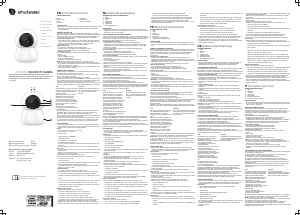
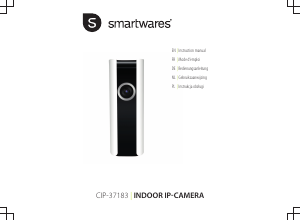
Bedienungsanleitung Smartwares CIP-37183 IP Kamera

Benötigen Sie ein Bedienungsanleitung für Ihren Smartwares CIP-37183 IP Kamera? Unten können Sie das PDF-Bedienungsanleitung kostenlos auf Deutsch ansehen und herunterladen. Für dieses Produkt gibt es derzeit 0 häufig gestellte Fragen, 2 Kommentare und 1 Stimme mit einer durchschnittlichen Produktbewertung von 0/100. Wenn dies nicht das von Ihnen gewünschte Bedienungsanleitung ist, kontaktieren Sie uns bitte.

Ist Ihr Produkt defekt und bietet die Bedienungsanleitung keine Lösung? Gehen Sie zu einem Repair Café, wo es gratis repariert wird.

Bedienungsanleitung

Loading…

Instruction manual
3
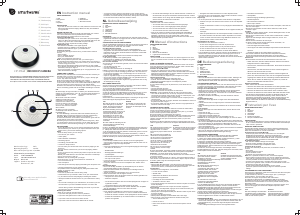
PARTS DESCRIPTION
1. LED
2. Microphone
3. Lens
4. Speaker
5. USB port
6. Reset button
7. MicroSD card slot
INSTALLATION
If you wish to mount the camera on a wall, attach the mount to
the wall with the supplied screws and plugs. Make sure they are
suitable for your type of wall.
BEFORE THE FIRST USE
Follow the instructions below to quickly get started with your camera.
For a more detailed description of all functionality, please check the
help function in the app. For more instructions and information please
visit our website, www.smartwares.eu. Please search for
"CIP-37183".
Inserting a MicroSD card
First make sure your camera is not connected to the power
adapter. Insert your Micro-SD card all the way in the MicroSD
card slot on the camera. Only use a class 10 MicroSD card (max
128 GB).
A MicroSD card is required for recording footage.
Download the app
iOS: Search for "SW360" in the Apple app store.
Android: Search for "SW360" in the Google play store.
Download and install the app on your mobile device.
Creating an account
If you're using this app for the first time, you will need to create an
account.
Open the app.
Tap on "Register Account"
Fill in your email address.
Enter a new password, and confirm it.
Note: It's not possible to paste the code, you need to type it.
A verification email will be sent to you. Please click on the link in
the mail to confirm your account. If you don't confirm, you won't
be able to continue using your account.
Now open the app again and login to the account you just
created.
If you already have created an account, fill in your login and
password information, and tap on "Sign in".
If you have forgotten your password, tap on "Forgot password",
and follow the directions in the app.
CONNECTING A CAMERA
Make sure your mobile device is connnected to the Wi-Fi network you
ultimately want to connect your camera to.
1. On the "my devices" tab, tap on the "plus" (+) sign in the top right
corner. Tap "Add a new device".
2.Tap on the picture that corresponds to your camera.
3. Plug in the camera with the USB adapter to power it up. Please
wait for 30 seconds until the LED on the camera starts flashing. Make
sure that your camera is in close range (1m) of your mobile device.
EN
Download Bedienungsanleitung auf Deutsch (PDF, 0.49 MB)
(Denken Sie an die Umwelt und drucken Sie diese Bedienungsanleitung nur aus, wenn es unbedingt nötig ist)

Loading…

Bewertung

Teilen Sie uns mit, was Sie über die Smartwares CIP-37183 IP Kamera denken, indem Sie eine Produktbewertung verfassen. Möchten Sie Ihre Erfahrungen mit diesem Produkt teilen oder eine Frage stellen? Hinterlassen Sie einen Kommentar am Ende dieser Seite!
Sind Sie mit Smartwares CIP-37183 IP Kamera zufrieden?
Ja Nein
0%
100%
1 Bewertung

Diskutieren Sie über dieses Produkt mit

Hier können Sie uns Ihre Meinung zu Smartwares CIP-37183 IP Kamera mitteilen. Wenn Sie eine Frage haben, lesen Sie zunächst das Bedienungsanleitung sorgfältig durch. Die Anforderung eines Bedienungsanleitung kann über unser Kontaktformular erfolgen.

helma van mechelen 26-04-2022
Ich habe keinen Ton auf meiner Kamera

Antworten | Das war hilfreich (0) (Übersetzt von Google)
Rob Waleveld 17-07-2022
Kamera installiert, aber kein Ton Kann es nirgendwo im Ordner finden

Antworten | Das war hilfreich (0) (Übersetzt von Google)

Mehr zu diesem Bedienungsanleitung

Wir verstehen, dass es schön ist, ein gedrucktes Bedienungsanleitung für Ihr Smartwares CIP-37183 IP Kamera zu haben. Sie können das Bedienungsanleitung jederzeit von unserer Website herunterladen und selbst ausdrucken. Wenn Sie ein Originalhandbuch wünschen, empfehlen wir Ihnen, Smartwares zu kontaktieren. Möglicherweise können sie ein Originalhandbuch bereitstellen. Suchen Sie das Bedienungsanleitung Ihres Smartwares CIP-37183 IP Kamera in einer anderen Sprache? Wählen Sie auf unserer Homepage Ihre bevorzugte Sprache und suchen Sie nach der Modellnummer, um zu sehen, ob wir sie verfügbar haben.

Spezifikationen

Marke Smartwares
Modell CIP-37183
Kategorie IP Kameras
Dateityp PDF
Dateigröße 0.49 MB

Alle Anleitungen für Smartwares IP Kameras
Weitere Anleitungen von IP Kameras
Bedienungsanleitung Smartwares CIP-37183 IP Kamera

Verwandte Produkte

Verwandte Kategorien

×
Download