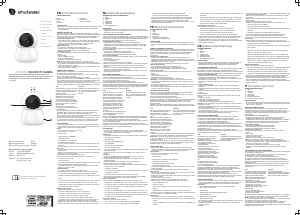
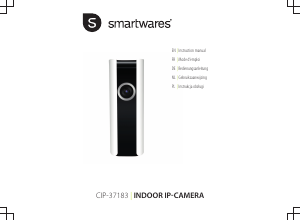
Bedienungsanleitung Smartwares CIP-37183 IP Kamera

Benötigen Sie ein Bedienungsanleitung für Ihren Smartwares CIP-37183 IP Kamera? Unten können Sie das PDF-Bedienungsanleitung kostenlos auf Deutsch ansehen und herunterladen. Für dieses Produkt gibt es derzeit 0 häufig gestellte Fragen, 2 Kommentare und 1 Stimme mit einer durchschnittlichen Produktbewertung von 0/100. Wenn dies nicht das von Ihnen gewünschte Bedienungsanleitung ist, kontaktieren Sie uns bitte.

Ist Ihr Produkt defekt und bietet die Bedienungsanleitung keine Lösung? Gehen Sie zu einem Repair Café, wo es gratis repariert wird.

Bedienungsanleitung

Loading…

Instruction manual
4
4.Check if the notification LED is flashing, and confirm in the app. If
the LED is not flashing, please refer to the chapter "Resetting the
camera".
iOS Android
5a. Exit the app, and go to the Wi-
Fi settings on your mobile device.
The camera transmits it's own
private wireless network.
5. Select your camera-ID from the
list. You can find the camera-ID
on the sticker on the back of the
camera.
5b. Connect to the Wi-Fi network
SSID that corresponds to your
Camera-ID. You can find the
camera-ID on the sticker on the
back of the camera. The
password is “11111111”. Wait for
your mobile device to connect to
the camera's Wi-Fi network.
5c. When you have connected
successfully to the camera, return
to the SW360 app.
6. In the SW360 app, choose the SSID of the wireless network you
ultimately want to connect the camera to. Enter the corresponding
password. Note: A 5Ghz WiFi network is not supported.
7. When the connection is successful, the LED will turn green and the
camera will say "Connection is successful".
8. Please give your camera a name (for instance "living room"). Now
you will be able to access your camera. You can watch the live view
from anywhere in the world through the app on your mobile device.
APP FUNCTIONS
On the "My devices" tab, you can see and manage all the
camera's that are linked to your account. If you tap the three dots
next to your camera name, you have the following options:
Setup
From the setup screen you can change:
The name of your camera.
Video quality.
Motion detection notifications.
Recording options.
Formatting your MicroSD card.
Access the "Help" function.
You can share your cameras with other accounts by tapping on
the share icon.
You can remove a camera from your account by tapping "delete".
Live view
On the "my devices" tab, press the play button to open the live
view of your camera.
Rotate your mobile device to view the video full-screen in
landscape.
Tap or pinch to zoom in and out.
Rotate the view by scrolling with your finger.
From this screen, you can use the buttons on the bottom to:
Turn the sound on or off.
Take a snapshot.
Talk through the camera by tapping and holding the
microphone icon.
Record footage directly to your mobile device.
Download Bedienungsanleitung auf Deutsch (PDF, 0.49 MB)
(Denken Sie an die Umwelt und drucken Sie diese Bedienungsanleitung nur aus, wenn es unbedingt nötig ist)

Loading…

Bewertung

Teilen Sie uns mit, was Sie über die Smartwares CIP-37183 IP Kamera denken, indem Sie eine Produktbewertung verfassen. Möchten Sie Ihre Erfahrungen mit diesem Produkt teilen oder eine Frage stellen? Hinterlassen Sie einen Kommentar am Ende dieser Seite!
Sind Sie mit Smartwares CIP-37183 IP Kamera zufrieden?
Ja Nein
0%
100%
1 Bewertung

Diskutieren Sie über dieses Produkt mit

Hier können Sie uns Ihre Meinung zu Smartwares CIP-37183 IP Kamera mitteilen. Wenn Sie eine Frage haben, lesen Sie zunächst das Bedienungsanleitung sorgfältig durch. Die Anforderung eines Bedienungsanleitung kann über unser Kontaktformular erfolgen.

helma van mechelen 26-04-2022
Ich habe keinen Ton auf meiner Kamera

Antworten | Das war hilfreich (0) (Übersetzt von Google)
Rob Waleveld 17-07-2022
Kamera installiert, aber kein Ton Kann es nirgendwo im Ordner finden

Antworten | Das war hilfreich (0) (Übersetzt von Google)

Mehr zu diesem Bedienungsanleitung

Wir verstehen, dass es schön ist, ein gedrucktes Bedienungsanleitung für Ihr Smartwares CIP-37183 IP Kamera zu haben. Sie können das Bedienungsanleitung jederzeit von unserer Website herunterladen und selbst ausdrucken. Wenn Sie ein Originalhandbuch wünschen, empfehlen wir Ihnen, Smartwares zu kontaktieren. Möglicherweise können sie ein Originalhandbuch bereitstellen. Suchen Sie das Bedienungsanleitung Ihres Smartwares CIP-37183 IP Kamera in einer anderen Sprache? Wählen Sie auf unserer Homepage Ihre bevorzugte Sprache und suchen Sie nach der Modellnummer, um zu sehen, ob wir sie verfügbar haben.

Spezifikationen

Marke Smartwares
Modell CIP-37183
Kategorie IP Kameras
Dateityp PDF
Dateigröße 0.49 MB

Alle Anleitungen für Smartwares IP Kameras
Weitere Anleitungen von IP Kameras
Bedienungsanleitung Smartwares CIP-37183 IP Kamera

Verwandte Produkte

Verwandte Kategorien

×
Download