Product number: 392 933 / 394 116
Made exclusively for: Tchibo GmbH, Überseering 18, 22297 Hamburg, Germany
www.tchibo.de/instructions
(Please enter the product number in the box labelled
“Bedienungsanleitungssuche” and click on “Suchen”)
Dear Customer
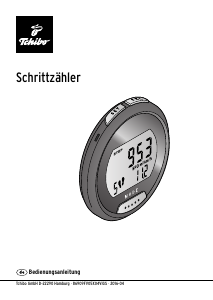
Your new pedometer offers you many practical functions in a lightweight casing.
You can determine the number of steps you take and keep track of the distance
covered, as well as the number of calories and fat you burn. The pedometer does,
of course, also show the current time of day. Other convenient features include
t
he 7-day memory, which saves your training data from the past seven days,
and the built-in stopwatch.
We hope you will be entirely satisfied with your purchase.
Your Tchibo Team
Please note that the pedometer only counts your steps. The distance you have
covered and the calories burnt are calculated on the basis of these values
together with your personal data and do not represent accurate results.
Safety warnings
Read the safety warnings carefully and only use the product as described in these
instructions to avoid accidental injury or damage. Keep these instructions for future
reference. If you give this product to another person, remember to also include these
instructions.
Intended use
When you are walking, hiking or jogging, the pedometer counts the number of steps•
you have taken and uses this to calculate the distance covered and the approximate
number of calories and fat you burn. In addition, you can specify your own number
of steps for your training.
The pedometer is designed for personal use. It is not suitable for professional or•
commercial purposes.
DANGER to children
Swallowing batteries can be fatal. If a battery is swallowed, it can cause severe•
internal chemical burns and even death within2 hours. Therefore, keep both new
and old batteries and the product out of the reach of children. If you think that
a battery has been swallowed or has got into the body in any other way, seek
medical advice immediately.
WARNING – risk of injury
Batteries must not be taken apart, thrown into fire or short-circuited. •
Single-use batteries must also not be charged.
Lithium batteries can explode if inserted incorrectly. When inserting the batteries,•
ensure that the polarityis correct (+/–). Only use batteries of the same type or ones
with identical technical specifications (see “Technical specifications”).
If a battery leaks, avoid contact with skin, eyes and mucous membranes. •
If necessary, rinse the affected areas with water and consult a doctor immediately.
Clean the contacts on the batteries and device as required before insertion. •
Risk of overheating!
CAUTION - material damage
Protect the pedometer from rain, moisture and strong jolts (do not drop it).•
Protect the batteries from excessive heat. Remove the battery from the product•
when it is flat or if you do not intend to use the device for a long period of time.
This will prevent damage caused by leakage.
Do not use any caustic, aggressive or abrasive products for cleaning. •
Prior to first use
Remove the protective films from the display.m
Remove the insulating strip from the battery
compartment
Replacing the batteries
Loosen the screw on the battery compartment lid and1.
remove the lid.
Insert the battery, ensuring that the polarity is correct.2.
The positive pole (+) must be facing upwards.
Place the battery compartment lid back on and screw the3.
screw in tightly.
The battery must be replaced if the battery icon appears on the display
or if the device is clearly not working. All settings and saved data will be lost
when the battery is replaced.
Activating the display lighting
To read the display in the dark, briefly press the ST/SP button. m
The display will light up for a few seconds.
• To save battery power, the lighting is not designed to stay on permanently,
as it uses a lot of power.
• The display switches off automatically after approx. 30 seconds if no buttons
are pressed or it does not sense any movement. It switches back on automati-
cally once it senses movement.
Entering personal data
Entering personal data
The display indicator shown on the left will appear as soon as you
insert the battery (= main mode).
Press SET for approx. 2 seconds.1.
You will be guided automatically through the following settings:
Time: Press RESET or ST/SP to select the required display mode for the time 2.
of day (24hr or 12hr) and press SET to confirm your selection.
If the 12-hour format is used, PM appears on the display to indicate the time
in the afternoon/evening.
Press RESET or ST/SP repeatedly to set the correct hour. 3.
Press SET to confirm.
If you hold down the RESET or ST/SP button, the values will be shown more
quickly.
Press RESET or ST/SP repeatedly to set the correct minute. 4.
Press SET to confirm.
Weight: Press
RESET or ST/SP repeatedly to enter your weight in kg. 5.
Press SET to confirm. The default setting is: 65 kg
Height: Press RESET or ST/SP repeatedly to enter your height in cm. 6.
Press SET to confirm. The default setting is: 170 cm
The display switches back to main mode.
m
Defining a training target
You can define the number of steps you would like to take in one day and use the
pedometer to monitor your progress towards that target.
Press and hold ST/SP for approx. 2 seconds to go to target 1.
mode TG.
The default value is 6,000steps. The 1000 unit flashes.
Press RESET or ST/SP to change the 1000 unit. 2.
Press
SET
to confirm. The 10,000 unit flashes.
Press RESET or ST/SP to then change the 10,000 unit.3.
Press
SET
to confirm. (The 100 unit cannot be changed.) The display switches
back to main mode.
Once 10% of your target has been reached, a target bar will
appear on the display. When you reach your target, the
pedometer will beep for approx. 30 seconds.
To switch off the beeping, press any button. m
To also reset the number of steps recorded to zero, hold down the RESET buttonm
for longer than 2 seconds.
Using the stopwatch
To switch to the stopwatch, keep pressing MODE until STW is shown on the display. 1.
To start timing, briefly press ST/SP. 2.
You will hear a short beep. The display will light up.
The pedometer has started timing.
To pause timing, press ST/SP again. 3.
You will hear a short beep. The pedometer stops timing.
To resume timing, press ST/SP again. 4.
You will hear a short beep. The pedometer will resume timing.
To stop timing and to reset the value to zero, first press ST/SP to stop the timer5.
and then press RESET.
Technical specifications
Model: 392 933 / 394 116
Batteries: 1x CR2032/3V; watt-hour rating: 0.66 Wh
(tested as per UN 38.3)
Ambient temperature: +10 to +40 °C
Made exclusively for: Tchibo GmbH, Überseering 18,
22297 Hamburg, Germany
In the course of product improvement, we reserve the right to make technical and
optical modifications to the product.
Disposal
This product and its packaging have been manufactured from valuable materials that
can be recycled. Recyclingreduces the amount of refuse and helps to preserve the
environment.
Dispose of the packaging at a recycling point that sorts materials by type. Make use of
the local facilities provided for collecting paper, cardboard and lightweight packaging.
Devices marked with this symbol must not be disposed of along with house-
hold waste!
You are legally obliged to dispose of old devices ely from household waste.
Information about collection points where old devices can be disposed of free of
charge is available from your local authorities.
Single-use batteries and rechargeable batteries must not be disposed
of along withhousehold waste!
You are legally obliged to dispose of all flat batteries at a local authority collection
point or to return them to a battery retailer.
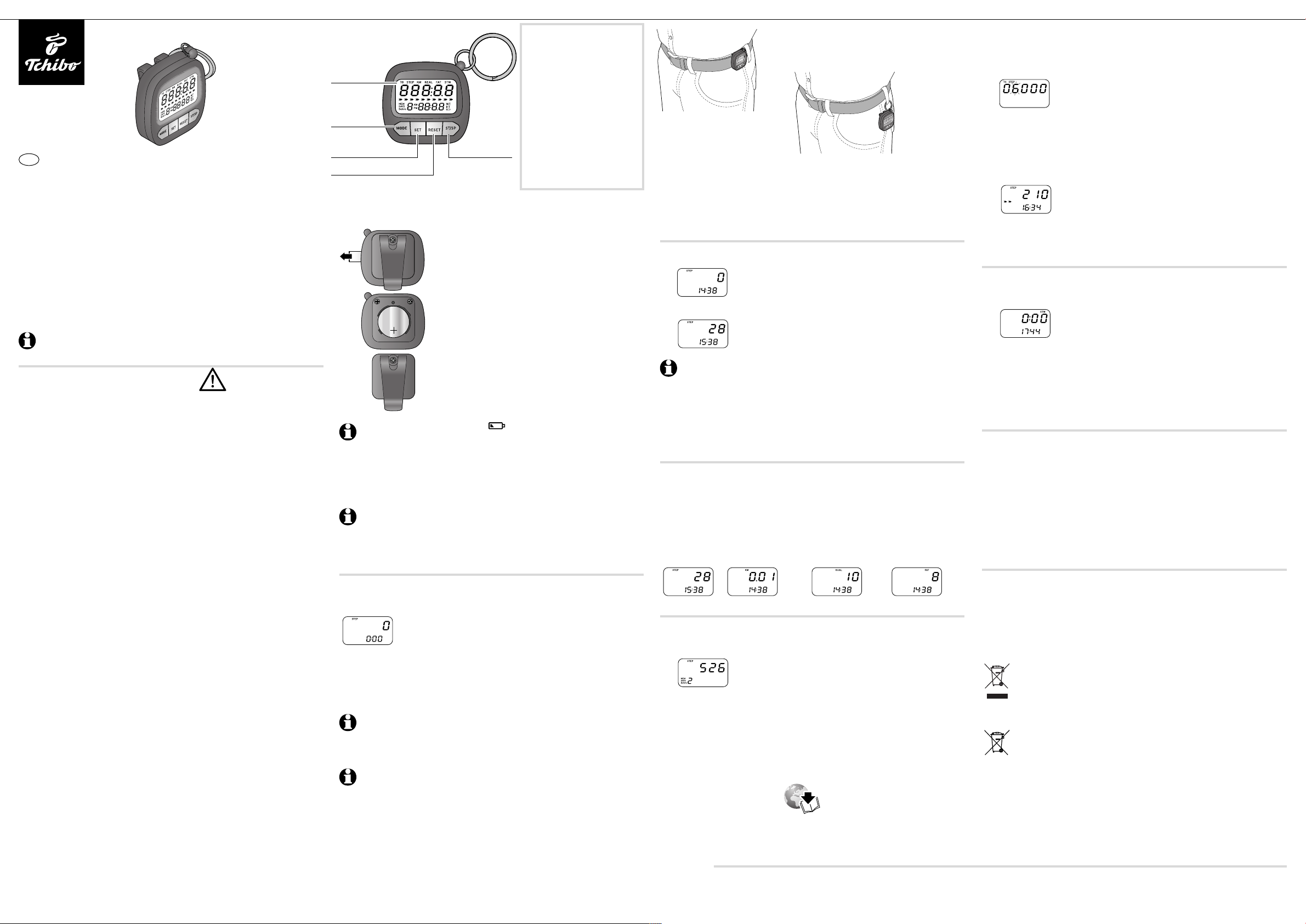
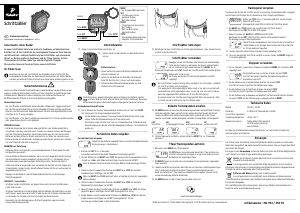
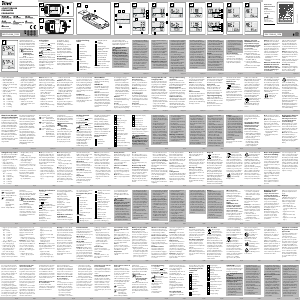
MODE
• Switch between different
displays and modes
SET
• Go to settings
(hold down button)
• Accept value
RESET
• View 7-day memory
• Change value
• Set value to zero
(hold down button)
ST/SP
• Activate display lighting
• Start/pause stopwatch
Fastening the pedometer
Attach the pedometer to your belt or waistband – or simply keep it in your trouserm
pocket.
Using the pedometer
Move the pedometer or press any button to turn on the display.1.
To change from another mode, keep pressing MODE until the
main mode is shown on the display with STEP, number of steps
and the time of day.
Start walking or running. 2.
The time of day and the number of steps counted will be shown
on the display.
• The pedometer will respond with a slight delay at first to avoid counting
and displaying every slight movement as a step.
Only when the steps become regular are they displayed, and those which
were not displayed previously are also included in the calculation. Therefore,
do not be concerned if the displayed value suddenly increases by 10 steps.
• The pedometer always counts all the steps you take in a day. If you take
a break, the pedometer will always continue counting from the number
of steps counted last.
Viewing your current training data
Press MODE to switch between the training data that has been measured and
m
detected for the current day. The time of day is always shown on the bottom line.
Every day at midnight, the current data is automatically saved to the 7-day memory
and the current data display reset to zero.
STEP KM KCAL FAT
number of steps distance covered burnt calories burnt fat
To reset the day’s values to zero, press and hold RESET for approx. 2 seconds. m
Viewing your training data from the past 7 days
Press MODE to switch to the 7-day memory.
1.
Press SET to look through your training data for each of the
2.
last 7 days. The number of the day being displayed is shown in
the bottom left-hand corner of the display.
Press RESET to switch between the different training data for the day being displayed.
3.
At midnight each day, the data for the earliest day in the memory (day 7) will m
be deleted automatically and the 7-day total display updated.
If you wish to completely erase the 7-day memory, you must remove the battery
for a few seconds.
Press MODE to leave the 7-day memory again.
m
Pedometer
Tchibo GmbH D-22290 Hamburg • 104904AB3X4X • 2019-12
Instructions for use
en
Display
MODE button
S
ET button
RESET button
S
T/SP button


Diskutieren Sie über dieses Produkt mit
Hier können Sie uns Ihre Meinung zu Tchibo 392933 Schrittzähler mitteilen. Wenn Sie eine Frage haben, lesen Sie zunächst das Bedienungsanleitung sorgfältig durch. Die Anforderung eines Bedienungsanleitung kann über unser Kontaktformular erfolgen.