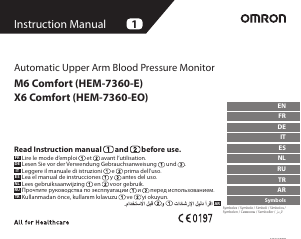
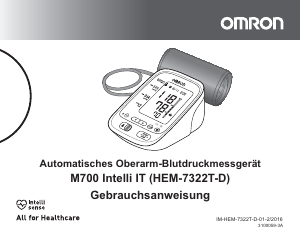
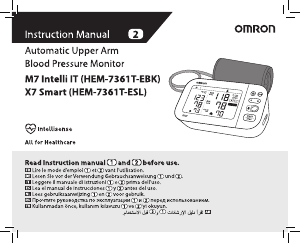
Bedienungsanleitung Omron HEM-7155T-EBK M4 Intelli IT Blutdruckmessgerät

Benötigen Sie ein Bedienungsanleitung für Ihren Omron HEM-7155T-EBK M4 Intelli IT Blutdruckmessgerät? Unten können Sie das PDF-Bedienungsanleitung kostenlos auf Deutsch ansehen und herunterladen. Für dieses Produkt gibt es derzeit 2 häufig gestellte Fragen, 1 Kommentar und 3 Stimmen mit einer durchschnittlichen Produktbewertung von 100/100. Wenn dies nicht das von Ihnen gewünschte Bedienungsanleitung ist, kontaktieren Sie uns bitte.

Ist Ihr Produkt defekt und bietet die Bedienungsanleitung keine Lösung? Gehen Sie zu einem Repair Café, wo es gratis repariert wird.

Bedienungsanleitung

Loading…

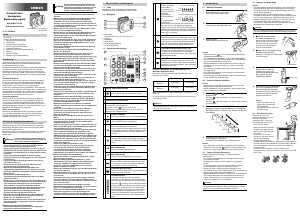
EN2
EN
AC Adapter (optional accessory) Handling and Usage
DO NOT use the AC adapter if this monitor or the AC adapter cable is
damaged. If this monitor or the cable is damaged, turn off the power
and unplug the AC adapter immediately.
P
lug the AC adapter into the appropriate voltage outlet. DO NOT
use in a multi-outlet plug.
NE
VER plug in or unplug the AC adapter from the electric outlet
with wet hands.
DO NO
T disassemble or attempt to repair the AC adapter.
Battery Handling and Usage
Keep batteries out of the reach of infants, toddlers and children.
2.2 Caution
Indicates a potentially hazardous
situation which, if not avoided,may
result in minor or moderate injury to
the user or patient or damage to the
equipment or other property.
Stop using this monitor and consult with your physician if you
experience skin irritation or discomfort.
Consult with your physician before using this monitor on an arm
where intravascular access or therapy, or an arteriovenous (A-V)
shunt, is present because of temporary interference to blood flow
and could result in injury.
C
onsult with your physician before using this monitor if you have
had a mastectomy.
Consult with your physician before using this monitor if you have
severe blood flow problems or blood disorders as cuff inflation can
cause bruising.
DO NOT take measurements more often than necessary because
bruising, due to blood flow interference, may occur.
ONL
Y inflate the arm cuff when it is applied on your upper arm.
R
emove the arm cuff if it does not start deflating during a
measurement.
DO NOT use this monitor for any purpose other than measuring
blood pressure.
During measurement, make sure that no mobile device or any other
electrical device that emit electromagnetic fields is within 30 cm of
this monitor. This may result in incorrect operation of the monitor
and/or cause an inaccurate reading.
DO NO
T disassemble or attempt to repair this monitor or other
components. This may cause an inaccurate reading.
DO NO
T use in a location where there is moisture or a risk of water
splashing this monitor. This may damage this monitor.
DO NO
T use this monitor in a moving vehicle such as in a car or on
an aircraft.
DO NO
T drop or subject this monitor to strong shocks or vibrations.
DO NOT use this monitor in places with high or low humidity or high
or low temperatures. Refer to section 6.
D
uring measurement, observe the arm to ensure that the monitor is
not causing prolonged impairment to blood circulation.
DO NO
T use this monitor in high-use environments such as medical
clinics or physician offices.
DO NOT use this monitor with other medical electrical (ME)
equipment simultaneously. This may result in incorrect operation of
the monitor and/or cause an inaccurate reading.
Avoid bathing, drinking alcohol or caffeine, smoking, exercising and
eating for at least 30 minutes before taking a measurement.
Rest for at least 5 minutes before taking a measurement.
Remove tight-fitting or thick clothing from your arm while taking a
measurement.
R
emain still and DO NOT talk while taking a measurement.
ONL
Y use the arm cuff on persons whose arm circumference is
within the specified range of the cuff.
Ensur
e that this monitor has acclimated to room temperature before
taking a measurement. Taking a measurement after an extreme
temperature change could lead to an inaccurate reading. OMRON
recommends waiting for approximately 2 hours for the monitor to
warm up or cool down when the monitor is used in an environment
within the temperature specified as operating conditions after
it is stored either at the maximum or at the minimum storage
temperature. For additional information on operating and storage/
transport temperature, refer to section 6.
DO NO
T use this monitor after the durable period has ended. Refer
to section 6.
DO NO
T crease the arm cuff or the air tube excessively.
DO NOT fold or kink the air tube while taking a measurement. This
may cause an injury by interrupting blood flow.
To unplug the air plug, pull on the plastic air plug at the base of the
tube, not the tube itself.
Download Bedienungsanleitung auf Deutsch (PDF, 13.9 MB)
(Denken Sie an die Umwelt und drucken Sie diese Bedienungsanleitung nur aus, wenn es unbedingt nötig ist)

Loading…

Bewertung

Teilen Sie uns mit, was Sie über die Omron HEM-7155T-EBK M4 Intelli IT Blutdruckmessgerät denken, indem Sie eine Produktbewertung verfassen. Möchten Sie Ihre Erfahrungen mit diesem Produkt teilen oder eine Frage stellen? Hinterlassen Sie einen Kommentar am Ende dieser Seite!
Sind Sie mit Omron HEM-7155T-EBK M4 Intelli IT Blutdruckmessgerät zufrieden?
Ja Nein
100%
0%
3 Bewertungen

Diskutieren Sie über dieses Produkt mit

Hier können Sie uns Ihre Meinung zu Omron HEM-7155T-EBK M4 Intelli IT Blutdruckmessgerät mitteilen. Wenn Sie eine Frage haben, lesen Sie zunächst das Bedienungsanleitung sorgfältig durch. Die Anforderung eines Bedienungsanleitung kann über unser Kontaktformular erfolgen.

Devaut Marie 03-07-2026
Warum werden meine Daten nicht automatisch auf mein Telefon übertragen? Ich habe nur einen einwöchigen Zeitraum aufgezeichnet. und es gibt keine Möglichkeit, die nächste Aufnahme zu planen

Antworten | Das war hilfreich (0) (Übersetzt von Google)

Mehr zu diesem Bedienungsanleitung

Wir verstehen, dass es schön ist, ein gedrucktes Bedienungsanleitung für Ihr Omron HEM-7155T-EBK M4 Intelli IT Blutdruckmessgerät zu haben. Sie können das Bedienungsanleitung jederzeit von unserer Website herunterladen und selbst ausdrucken. Wenn Sie ein Originalhandbuch wünschen, empfehlen wir Ihnen, Omron zu kontaktieren. Möglicherweise können sie ein Originalhandbuch bereitstellen. Suchen Sie das Bedienungsanleitung Ihres Omron HEM-7155T-EBK M4 Intelli IT Blutdruckmessgerät in einer anderen Sprache? Wählen Sie auf unserer Homepage Ihre bevorzugte Sprache und suchen Sie nach der Modellnummer, um zu sehen, ob wir sie verfügbar haben.

Spezifikationen

Marke Omron
Modell HEM-7155T-EBK M4 Intelli IT
Kategorie Blutdruckmessgeräte
Dateityp PDF
Dateigröße 13.9 MB

Alle Anleitungen für Omron Blutdruckmessgeräte
Weitere Anleitungen von Blutdruckmessgeräte

Häufig gestellte Fragen zu Omron HEM-7155T-EBK M4 Intelli IT Blutdruckmessgerät

Unser Support-Team sucht nach nützlichen Produktinformationen und beantwortet Ihre häufig gestellten Fragen. Sollte Ihnen ein Fehler bei den häufig gestellten Fragen auffallen, teilen Sie uns dies bitte anhand unseres Kontaktformulars mit.

Ich habe soeben meinen Blutdruck mit einem Blutdruckmessgerät gemessen, aber welcher Blutdruck ist eigentlich normal? Verifiziert

Im Allgemeinen bezeichnet man einen systolischen Wert von 120 und einen diastolischen Wert von 80 als normal oder gesund. Menschen über 60 können mitunter einen etwas höheren Blutdruck haben.

Das war hilfreich (1296) Mehr lesen

Was ist systolischer und diastolischer Blutdruck? Verifiziert

Bei der Blutdruckmessung werden zwei Werte angegeben: der systolische und der diastolische Druck. Der systolische Druck bezeichnet den Druck auf den Venen, wenn sich das Herz zusammenzieht, während der diastolische Druck den Druck auf den Venen beschreibt, wenn sich das Herz entspannt.

Das war hilfreich (549) Mehr lesen
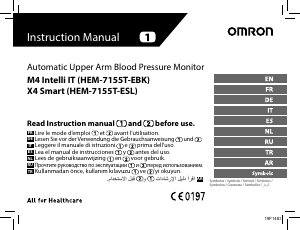
Bedienungsanleitung Omron HEM-7155T-EBK M4 Intelli IT Blutdruckmessgerät

Verwandte Produkte

Verwandte Kategorien

×
Download