ATTENTION!
WARNING!
ENGLISH
Operating Instructions
Please read and observe the following information and keep the operating
manual nearby for future reference!
Safety information
Only use batteries of the same type!
Always treat batteries with due care and attention and only use batteries as
described.
Never use standard and rechargeable batteries together. Never use rechargeable
batteries or standard batteries with different capacities or charge statuses together.
Never use standard or rechargeable batteries which are damaged.
Risk of suffocation through small objects, packaging and protective foil!
Keep children away from the product and its packaging!
Risks to health and the environment from batteries!
Never open, damage or swallow batteries or allow them to pollute the environment.
They could contain toxic and ecologically harmful heavy metals.
Prevent exposure to environmental influences, e.g. smoke, dust, vibration, chemicals,
moisture, heat and direct sunlight.
Only allow repairs to be completed by qualified personnel.
Service hotline
In the case of technical problems, contact our Service hotline. Switzerland: Tel. 0900 00 1675 (natio-
nal charges, Swisscom at time of going to print: CHF 2.60/min). In the case of claims under the terms
of guarantee, contact your sales outlet.
Maintenance
Clean the surface of the housing with a soft, fluff-free cloth. Do not use any cleaning agents or
solvents.
Guarantee
Dexford equipment is produced and tested according to the latest production methods. The
implementation of carefully chosen materials and highly developed technologies ensure trouble-free
functioning and a long service life. The terms of guarantee do not apply to the batteries or power
packs used in the products. The period of guarantee is 24 months from the date of purchase. All de-
ficiencies related to material or manufacturing errors within the period of guarantee will be redressed
free of charge. Rights to claims under the terms of guarantee are annulled following tampering by the
purchaser or third parties. Damage caused as the result of improper handling or operation, normal
wear and tear, incorrect positioning or storage, improper connection or installation or Acts of God and
other external influences are excluded from the terms of guarantee. In the case of complaints, we
reserve the right to repair defective parts, replace them or replace the entire device. Replaced parts
or devices become our property. Rights to compensation in the case of damage are excluded where
there is no evidence of intent or gross negligence by the manufacturer. If your device does show
signs of a defect within the period of guarantee, please contact the sales outlet where you purchased
the Dexford device, producing the purchase receipt as evidence. All claims under the terms of
guarantee in accordance with this agreement can only be asserted at the sales outlet. No claims
under the terms of guarantee can be asserted after a period of two years from the date of purchase
and hand-over of the product.
Disposal
In order to dispose of your device, take it to a collection point provided by your local public
waste authorities (e.g. recycling centre). According to the laws on the disposal of electronic
and electrical devices, owners are obliged to dispose of old electronic and electrical devices
in a separate waste container. The adjacent symbol indicates that the device must not be
disposed of in normal domestic waste!
You are legally obliged to dispose of power packs and batteries at the point of sale or in the
corresponding containers provided at collection points by local public waste authorities. Dispo-
sal is free of charge. The symbols indicate that the batteries must not be disposed of in normal
domestic waste and that they must be brought to collection points provided by local public
waste authorities. Packaging materials must be disposed of according to local regulations.
Declaration of Conformity
This device fulfils the requirements stipulated in the Directive 1999/5/EC on radio equipment
and telecommunications terminal equipment and the mutual recognition of their conformity.
Conformity with the above mentioned directive is confirmed by the CE mark on the device. To view
the complete Declaration of Conformity, please refer to the free download available on our web site
www.dexford.com.
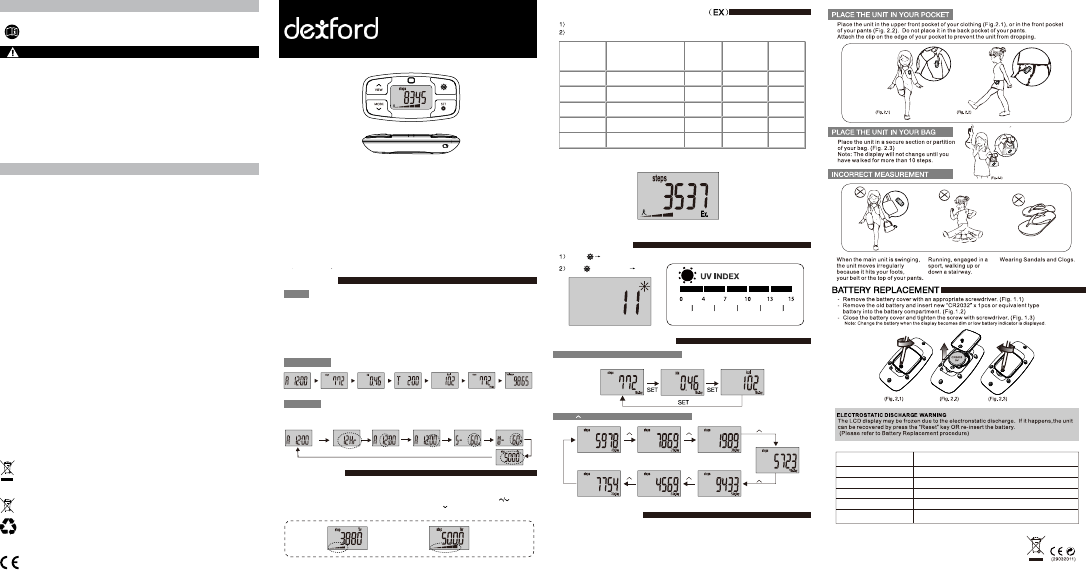
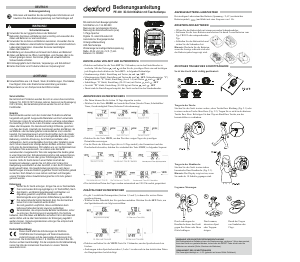
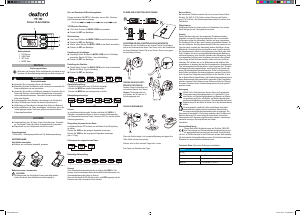
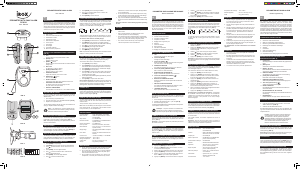
The target step default is 5000 steps. The adjustment is 1000 steps for each
If the target step setting is at 1000 steps and you press the adjustment will become
900 steps (under 1000 steps the setting goes down in 100 steps per adjustment)
1) Pedometer function (0 to 999999 steps)
2) Walking distance record function (0 to9999,99 km) / (0 to9999,99 miles)
3) Calorie consumption (0 bis 9999,9 Kcal)
4) Digital clock (12/24 hours)
5) Record unit: Inch / Metric
6) 7 days data memory (Pedometer + Step + Step time (hh:mm) +
Calories)
7) Automatic LCD sleep mode
8) Moving target set
9) Exercise intensity display (5 indexes)
10) UV index measurement
11) Low batterie indicator
OPERATION
TARGET STEP
MODE
WORKFLOW
SETTINGS
1. The Pedometer displays 7 modes:
Time mode / Step mode / Step distance / Step time mode / Calories mode /
Memory mode / Total mode
2. Default mode: Time mode
3. The Pedometer starts counting steps if you have walked more than 10 steps in under
2-4 seconds (effective pedometer function)
Time Step Distance MemoryCaloriesStep timeTotal steps
- Press and hold SET for 3 seconds to enter time setting and user profile setting mode
There are 5 icons to show the percantage of your steps compared to your target steps.
If you reached your target steps (100%) the icon will display all 5 icons and flash.
1.
2.
SET
3 sec.
SET SET
SET
SET SET SET
Time mode 12/24 Hr Hour Minute Stride Weight
Target
Target bar shows
3 icons
For example:
Target bar shows all
5 icons and flashes
EXERCISE STRENGTH INDICATOR
UV INDEX MODE
HISTORICAL DATA CHECK
AUTO POWER OFF
Displays the walking status of the last 10 minutes.
- If there is 1 minute no key pressed or steps counted, the pedometer will power
down and the LCD will turn off.
- If there is a key pressed or steps gone in power down mode, it will wake up and
the display will show the last values before power was off.
When the user moves with certain exercise strength, the pedometer will switch the target bar
display to "Ex" bar display shown below:
If there is no movement with certain exercise strength, it will switch back to target bar display.
Press
Hold for 3 seconds
UV Mode
UV Index
Low
Press "SET" to view the previous day record
Moderate High V.High Extreme
Exercise strength grading and judgement:
Very Strong
(Index 5)
141 - 180 steps / minute
121 - 140 steps / minute
101 - 120 steps / minute
81 - 100 steps / minute
< 80 steps / minute
100%
80%
60%
40%
20%
Very tired
Tired
Normal exercise
Light exercise
No feeling
Extreme
Middle age
Elderly
Get started
No exercise
Strong
(Index 4)
Medium Strong
(Index 3)
Low Strong
(Index 2)
Low
(Index 1)
Exercise
Strength
Oxygen
consumption
Speed
(in every 10 minutes)
Feeling Strength
Option
OPERATING INSTRUCTION
PE 200 UV 3D PEDOMETER
Press to view the previous day (up to 7 days)
Step
Step Distance
Step Time
Calories
Step Length
Weight
0 - 999.999 steps
0 - 999.99 km / miles
00:00 - 999:59 (hh:mm)
0 - 9999.9 kcal
30 - 150 cm (12 - 59 inch)
20 - 200 kg (50 - 508 lb)


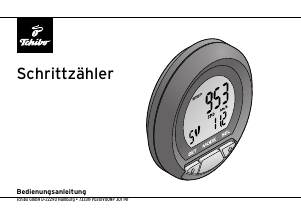
Diskutieren Sie über dieses Produkt mit
Hier können Sie uns Ihre Meinung zu Dexford PE 200 Schrittzähler mitteilen. Wenn Sie eine Frage haben, lesen Sie zunächst das Bedienungsanleitung sorgfältig durch. Die Anforderung eines Bedienungsanleitung kann über unser Kontaktformular erfolgen.