Menu layout
Call log Details
Delete
Delete all
Call
Store number
Call log type
Sound Ringer External Melody ...
Internal Melody ...
Ringer volume Level ...
Silent Beep/Off
Tones Key beep
Confirmation
Battery low
No coverage
Settings Handset settings Select base
Display Contrast
Handset name
Language
Auto answer
Register handset
Deregister
Handset reset
Base settings Ringer Ringtone
Ringer volume
Dial mode Tone/Pulse
Flash time 100/300/600 ms
System PIN
Base reset
Date/Time/Alarm Date/Time Time format
Date format
Enter time
Enter date
Alarm Alarm On/Off
Enter time
Ringtone
Memory keys M1/M2/M3/M4
Making and receiving calls
To make a call
Enter the telephone number and press .
- or -
Press . When you hear a dial tone, enter the telephone number.
To answer a call
Press .
To end a call
Press or place the handset in the base station.
Handsfree
Whilst in a call press . To deactivate, press the same key again.
Volume control
Whilst in a call press the volume buttons on the side.
Mute
Whilst in a call press . Press again to resume the conversation.
Redial
1. Press in idle state.
2. Select the desired entry with and .
3. Press to dial the telephone number.
Call log
Note: This function is only available if your telephone service provider has
activated the CLIP (Calling Line Identification Presentation) service at-
tribute. Please contact your service provider for more information.
You can determine whether all calls are recorded or only calls that were not
accepted. Missed calls are indicated on the display.
In the call log, new entries are marked with G. After querying the details or
callback, the entries are marked with H.
Received calls are displayed without marking.
Caller list features
1. In idle state press the menu key .
2. Select Call log and press .
3. Select the desired entry with and .
- Make a call: Press to dial the telephone number.
- Save to phonebook: Press , select Store number and press
. Enter a name and press . Edit the telephone number if
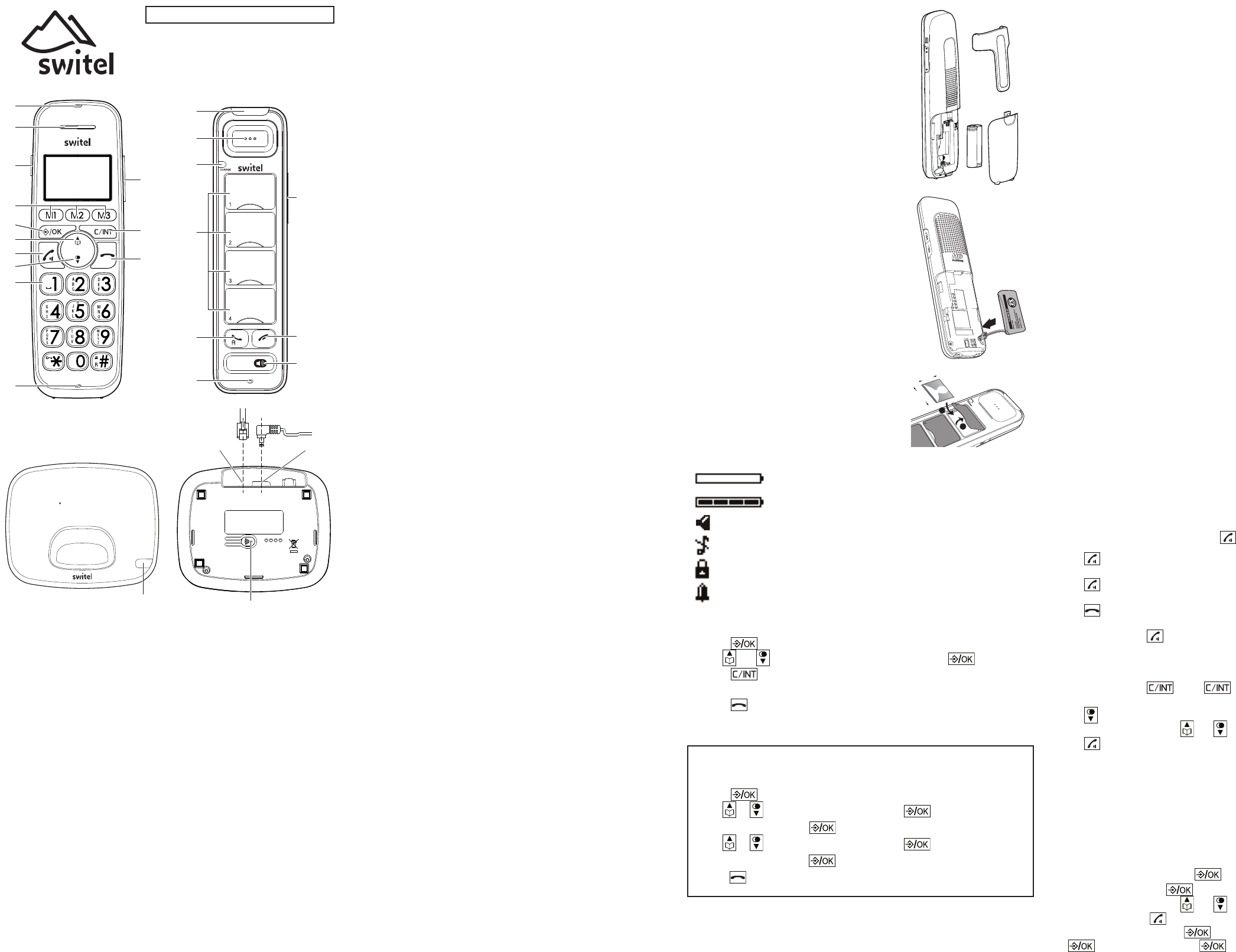
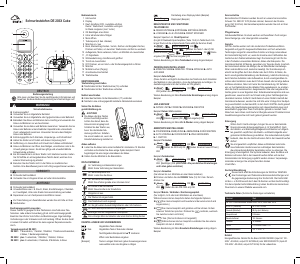
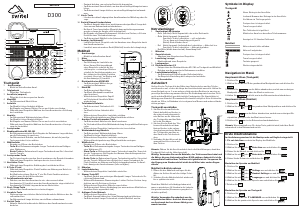
Handset
1 Incoming call light
- Flashes when there is an incoming call.
2 Earpiece
3 Boost key
- To increase the volume in the handset. Press briefly during a call to
switch the amplification on - pressing again switches the amplification
off again.
If the amplifier function is activated, "Boost on" appears on the display
and the incoming call light (1) lights up.
4 Direct call keys M1/M2/M3
- In idle mode, press to dial the stored number.
5 MENU/OK
- In idle mode: Press to access the main menu
- In sub-menu mode: Press to confirm the selection
- During a call: Press to access Phonebook/ Redial List/ Call List
6 Phonebook/Up
- In idle mode: Press to access the phonebook.
- In Menu/in lists: Press to scroll up.
- During a call: Press to increase the volume.
- In ringing: Press to increase the ringer volume.
7 Call/Hands-free
- In idle mode: Press to make or answer a call.
- In Redial list / Call List / Phonebook entry: Press to make a call to the
selected entry in the list.
- Whilst in a call: switch hands-free on/off.
8 Redial/Down
- In idle mode: Press to open redial list.
- In Menu/in lists: Press to scroll down.
- During a call: Press to decrease the volume.
- In ringing: Press to decrease the ringer volume.
9 Alphanumeric keypad
- Press to enter numbers or characters/*/#.
- Key 0 during entering numbers: Long press to enter a dialling pause (P).
- Star key in idle mode: Long press to activate/deactivate key lock.
To switch between upper case and lower case while entering characters.
- Hash key in idle mode: Long press to switch handset ringer on/off.
Whilst in a call: Long press to enter flash function to use network fea-
tures. In calls list: Press to review caller’s number (if applicable).
10 Microphone
11 Volume keys
- Press to adjust the listening volume during a call.
12 CLEAR/BACK/MUTE/INT
- In Menu: Press to go back to previous level. Press and hold to go back to
idle screen.
- In editing / predialing mode: Press to clear a character / digit. Press and
hold to delete all the characters / digits.
- Press to mute the microphone during a call.
- In idle mode: Press to intercom another handset (only if more than one
handset is registered at the base station).
13 End call/Cancel
- Press to hang up during a call.
- Press to cancel an operation/return to idle mode while in a menu.
- Press and hold to switch off the handset when idle.
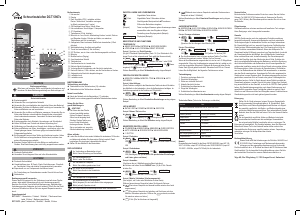
Photo handset
1 Incoming call light
- Flashes when there is an incoming call.
2 Earpiece
3 Charge LED
- Red (steady): Charging on the cradle
(long flashes): Battery power is low
(flashing quickly): Registration in progress
(flashing): Not registered or out of range
- Blue (steady): Booster function activated
4 Photo dial keys
- Photo dial keys 1 -3 correspond to the direct call keys M1 / M2 / M3 on
the handset. The telephone numbers for these keys must be stored in the
menu "Memory keys" (M1 ... M4).
In idle mode, press to dial the stored number.
5 Call key / Flash key
- In idle mode: Press to answer a call.
- Whilst in a call: Press to enter flash function to use network features.
6 Microphone
7 Volume keys
- Whilst in a call: Set the handset / speaker volume.
To switch the amplifier function on / off, press the "Vol +" button for ap-
prox. 3 s. When the amplifier function is activated, the charge LED lights
up blue and there are 3 additional volume levels available.
- In idle mode: Set the ringer volume. The new volume sounds for about
30s. To quit prematurely, press the end call key.
8 End call key
- Press to hang up during a call.
9 Hands-free key
- Whilst in a call: Activate/deavtivate the loudspeaker.
Base station
1 Incoming call light
- Flashes when there is an incoming call.
2 Page key
- Press to page all handsets when in idle.
3 Phone line jack
4 Power supply jack
Location
Place the base unit near a mains socket and a telephone wall jack to ensure that
the connection cables are long enough. Keep the unit approx. 1 m away from
other electronic devices to prevent interference. The base unit uses radio sig-
nals to connect with the cordless handset. Signal strength depends on the base
unit's location. The maximum range is 300 m based on an unobstructed line of
sight; the range is shorter inside buildings because of walls and other obstacles.
Connect the base unit
1. Plug the connector on the cable end into the corresponding jack on the rear
side of the base and plug the power adaptor into the wall socket.
2. Plug the small connector on the end of the telephone line cord into the cor-
responding jack on the base and plug the other end into the telephone jack.
Note: Guide the power adapter cable through the strain-relief tab on the base.
Important: Use only the power adaptors, telephone line cord and bat-
teries supplied with your phone, otherwise your phone may not work.
Do not block access to the wall power supply with furniture or other
items.
Connect the cordless handset
1. Open the battery compartment and insert the
rechargeable batteries. Observe the correct po-
larity.
2. Slide the battery compartment cover towards
the centre of the handset until it clicks into
place.
For a full charge, the handset must be left in the
base unit for at least 16 hours (check the base
unit’s power supply!).
Important: Use only the batteries supplied
with this product.
If the batteries need to be replaced later on
the same battery type must be used.
Connect the photo handset
1. Open the battery compartment and plug the
battery pack connector firmly into the jack (the
connection has polarity protection).
2. Place the supplied rechargeable battery with
the label THIS SIDE UP facing up and tuck the
wires inside the battery compartment.
3. Slide the battery compartment cover towards
the centre of the handset until it clicks into
place.
For a full charge, the handset must be left in the
charger for at least 16 hours (check the charger’s
power supply!).
Important: Use only the battery pack supplied
with this product. If the battery pack needs to
be replaced later on the same type must be
used.
Photo dial keys
Open the cover and insert a photo or picture of
14.5 x 26.8 mm. Fold down the cover again.
Display icons
Battery is low; place handset in charger to recharge.
Full battery power level.
The handset speakerphone is in use.
Ringer off.
Keyboard locked.
Alarm activated.
Navigating the menu
1. Press .
2. Use and to select the desired menu item and press .
3. Press to cancel an operation, back up to the previous menu, or exit that
menu.
4. Press to return to idle state.
Note: If a key is not pressed within 30 seconds, the telephone
automatically returns to idle mode.
Initial setup
1. “Pls set date/time“ appears in the display.
2. Press .
3. Use or
to select “Enter time“ and press .
4. Enter the time and press .
5. Use or
to select “Enter date“ and press .
6. Enter the date and press .
7. Press .
D112
ENGLISH
2
1
3
4
5
12
13
11
6
8
7
9
10
1
2
6
5
3
4
7
8
9
1
2
43
1
2
26.8 mm
14.5 mm


Diskutieren Sie über dieses Produkt mit
Hier können Sie uns Ihre Meinung zu Switel D112 Schnurlose telefon mitteilen. Wenn Sie eine Frage haben, lesen Sie zunächst das Bedienungsanleitung sorgfältig durch. Die Anforderung eines Bedienungsanleitung kann über unser Kontaktformular erfolgen.