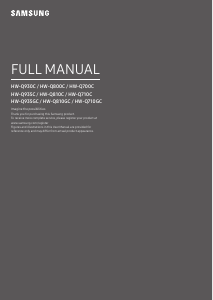
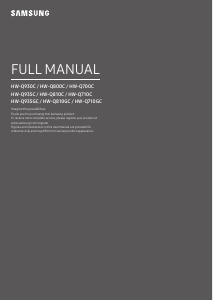
Bedienungsanleitung Samsung HW-Q990C Heimkinosystem

Benötigen Sie ein Bedienungsanleitung für Ihren Samsung HW-Q990C Heimkinosystem? Unten können Sie das PDF-Bedienungsanleitung kostenlos auf Deutsch ansehen und herunterladen. Für dieses Produkt gibt es derzeit 0 häufig gestellte Fragen, 0 Kommentare und 1 Stimme mit einer durchschnittlichen Produktbewertung von 100/100. Wenn dies nicht das von Ihnen gewünschte Bedienungsanleitung ist, kontaktieren Sie uns bitte.

Ist Ihr Produkt defekt und bietet die Bedienungsanleitung keine Lösung? Gehen Sie zu einem Repair Café, wo es gratis repariert wird.

Bedienungsanleitung

Loading…

ENG - 6
7
Sound Control
By pressing the button, you can set the audio function such as SpaceFit Sound, AVA, Voice enhance mode, Night
mode, Sync, Surround speaker mode, Virtual. The desired item can be adjusted using the Up/Down buttons.
Voice enhance mode enhances spoken dialog in movies and TV to make it easier to hear.
Night mode is optimized for night time viewing with the settings adjusted to bring the volume down but keep
the dialog clear.
Press and hold the
(Sound Control) button for about 5 seconds to adjust the sound for each frequency band.
150Hz, 300Hz, 600Hz, 1.2kHz, 2.5kHz, 5kHz, and 10kHz are selectable using the Left/Right buttons and each
can be adjusted to a setting between -6 to +6 using the Up/Down buttons.
(Make sure the Sound mode is set to Standard”.)
If the video on the TV and audio from the Soundbar are not synchronized, select Sync in Sound Control, and
then set the audio delay between 0~300 milliseconds by using the Up/Down buttons.
Sync is only supported for some functions.
Available Surround speaker mode settings may vary depending on the specication of the compatible (with
the Soundbar) surround speaker.
The Virtual Speaker function can be turned ON/OFF by using the Up/Down buttons.
8
Play / Pause
You can also play or pause music by pressing the button.
9
Up/Down/Left/
Right
Press the indicated areas to select Up/Down/Left/Right.
Press Up/Down/Left/Right on the button to select or set functions.
Music Skip
Press the Right button to select the next music le. Press the Left button to select the previous music le.
ID SET
Use this option when the Subwoofer or Surround Speakers are not connected or need reconnection.
While powered off, press and hold the Up button for 5 seconds to perform ID SET. (See page 11.)
10
Info
Press to display information about the active function or the codec available.
In BT mode, it displays the connected device (when pairing is complete) orBT ready” (when pairing is required).
11
WOOFER LEVEL
Push the button up or down to adjust the level of the woofer (bass).
12
VOLUME
Push the button up or down to adjust the volume.
Mute
Press the VOL button to mute the sound. Press it again to unmute the sound.
13
TONE CONTROL
By pressing the button, you can adjust the volume of the treble or bass sound. The dered item can be adjusted
using the Up/Down buttons. This function is enabled in Sound mode excluding in Standard mode.
To control the volume of the treble or bass sound, select TREBLE or BASS in Sound Settings, and then adjust
the volume between -6~+6 by using the Up/Down buttons.
Once the bass level is changed, the woofer level will be also adjusted accordingly.
Download Bedienungsanleitung auf Deutsch (PDF, 201.8 MB)
(Denken Sie an die Umwelt und drucken Sie diese Bedienungsanleitung nur aus, wenn es unbedingt nötig ist)

Loading…

Bewertung

Teilen Sie uns mit, was Sie über die Samsung HW-Q990C Heimkinosystem denken, indem Sie eine Produktbewertung verfassen. Möchten Sie Ihre Erfahrungen mit diesem Produkt teilen oder eine Frage stellen? Hinterlassen Sie einen Kommentar am Ende dieser Seite!
Sind Sie mit Samsung HW-Q990C Heimkinosystem zufrieden?
Ja Nein
100%
0%
1 Bewertung

Diskutieren Sie über dieses Produkt mit

Hier können Sie uns Ihre Meinung zu Samsung HW-Q990C Heimkinosystem mitteilen. Wenn Sie eine Frage haben, lesen Sie zunächst das Bedienungsanleitung sorgfältig durch. Die Anforderung eines Bedienungsanleitung kann über unser Kontaktformular erfolgen.

Mehr zu diesem Bedienungsanleitung

Wir verstehen, dass es schön ist, ein gedrucktes Bedienungsanleitung für Ihr Samsung HW-Q990C Heimkinosystem zu haben. Sie können das Bedienungsanleitung jederzeit von unserer Website herunterladen und selbst ausdrucken. Wenn Sie ein Originalhandbuch wünschen, empfehlen wir Ihnen, Samsung zu kontaktieren. Möglicherweise können sie ein Originalhandbuch bereitstellen. Suchen Sie das Bedienungsanleitung Ihres Samsung HW-Q990C Heimkinosystem in einer anderen Sprache? Wählen Sie auf unserer Homepage Ihre bevorzugte Sprache und suchen Sie nach der Modellnummer, um zu sehen, ob wir sie verfügbar haben.

Spezifikationen

Marke Samsung
Modell HW-Q990C
Kategorie Heimkinosysteme
Dateityp PDF
Dateigröße 201.8 MB

Alle Anleitungen für Samsung Heimkinosysteme
Weitere Anleitungen von Heimkinosysteme
Bedienungsanleitung Samsung HW-Q990C Heimkinosystem

Verwandte Produkte

Verwandte Kategorien

×
Download