Bedienungsanleitung Salter 9154 BK3R MiBody Waage

Benötigen Sie ein Bedienungsanleitung für Ihren Salter 9154 BK3R MiBody Waage? Unten können Sie das PDF-Bedienungsanleitung kostenlos auf Deutsch ansehen und herunterladen. Für dieses Produkt gibt es derzeit 4 häufig gestellte Fragen, 14 Kommentare und 15 Stimmen mit einer durchschnittlichen Produktbewertung von 20/100. Wenn dies nicht das von Ihnen gewünschte Bedienungsanleitung ist, kontaktieren Sie uns bitte.

Ist Ihr Produkt defekt und bietet die Bedienungsanleitung keine Lösung? Gehen Sie zu einem Repair Café, wo es gratis repariert wird.

Bedienungsanleitung

Loading…
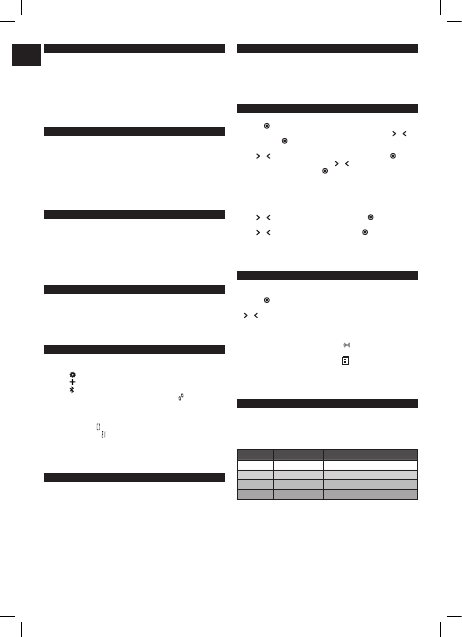
MiBODY
Salter MiBody is a range of connected devices to make weight and health management
easier. Measurements are sent wireless to your mobile device and can be viewed
using the free to download MiBody App. Trends can be tracked overtime and the
measurements explained with healthy/recommended ranges. The results are stored
on your personal mobile device only and are private unless you choose to share your
achievements.
MiBody should be used in addition with and not as a substitute to professional medical
guidance. If you are concerned about any aspect of your health please seek professional
medical guidance.
HOW DOES THIS SALTER SCALE WORK?
This Salter scale uses BIA (Bio Impedance Analysis) technology which passes a tiny
electrical impulse through the body to determine fat from lean tissue, the electrical
impulse cannot be felt and is perfectly safe. Contact with the body is made via stainless
steel pads on the platform of the scale.
This method simultaneously calculates your personal weight, body fat, total body water,
BMI and muscle mass, giving you a more accurate reading of your overall health and
fitness.
This scale stores the personal data of up to 4 users. As well as being an analyser scale,
this scale can be used as a conventional scale.
PREPARING YOUR SCALE
1. Open the battery compartment on the scale underside.
2. Remove isolating tab from beneath the battery (if fitted) or insert batteries observing
the polarity signs (+ and -) inside the battery compartment.
3. Close the battery compartment.
4. Select kg, st or lb weight mode by the switch on the underside of the scale.
5. For use on carpet remove the non-slip pads from the scales feet and attach enclosed
carpet feet.
6. Position scale on a firm flat surface.
MiBODY APP
Before using your device for the first time:
1. Download and install the Salter MiBody App from the App store. Use keyword search
terms “Salter” or “MiBody”
2. Turn Bluetooth “On” in the “Settings” menu of your iPhone/iPad.
3. Open the MiBody App and follow the on screen instructions to set up your user
account.
PAIRING DEVICES
1. Turn Bluetooth “On” in the “Settings” menu of your iPhone/iPad.
2. Open the MiBody App.
3. Press the
button to enter “Settings”.
4. Press the
button.
5. Press the
button.
6. Press and hold the “UNIT” button on the base of the scale until
is displayed on the
screen.
7. On your iPhone/iPad, touch the scale icon to connect with the scale. Select the user
number you wish to pair. Touch the Done button to finish.
8. If pairing is successful
will be displayed.
9. If pairing is unsuccessful
will be displayed.
10. The scale will automatically switch o.
11. Repeat procedure for each user and each iPhone/iPad.
Note: Each user number can only be paired with one iOS device. Results will be sent to
the paired device only.
INITIALISING YOUR SCALE
1. Press the platform centre and remove your foot.
2. ‘0.0’ will be displayed.
3. The scale will switch o and is now ready for use.
This initialisation process must be repeated if the scale is moved.
At all other times step straight on the scale.
WEIGHT READING ONLY
This scale features our convenient step-on operation. Once initialised the scale can be
operated by simply stepping straight on the platform – no more waiting!
1. Step on and stand very still while the scale computes your weight.
2. Your weight is displayed.
3. Step o. Your weight will be displayed for a few seconds.
4. The scale will switch o.
PERSONAL DATA ENTRY
1. Press the platform centre and remove your foot.
2. Press the
button.
3. While the user number is flashing, select a user number by pressing the
or
buttons. Press the
button to confirm your selection.
4. The weight mode display will flash.
Press
or button until the correct symbol is flashing, then press the button.
5. The male or female symbol will flash. Press
or to select male/female/male
athlete/female athlete, then press the
button.
Athlete Mode:
An athlete is defined as a person who is involved in intense physical activity of
approximately 12 hours per week and who has a resting heart rate of approximately
60 beats per minute or less.
6. The height display will flash.
Press
or as necessary to set your height, then press the button.
7. The age display will flash.
Press
or as necessary to set your age, then press the button.
8. The display will show your settings, then switch o. The memory is set.
9. Repeat procedure for a second user, or to change user details.
NOTE: To update or overwrite the memorised data, follow the same procedure, making
changes as required.
WEIGHT & BODY FAT READINGS
1. Position scale on a firm flat surface.
2. Press the platform centre and remove your foot.
3. Press the
button.
4. Whilst the user number is flashing select your user number by pressing the
or buttons.
5. Wait while the display reconfirms your personal data then shows a zero reading.
6. When zero is displayed, with bare feet, step onto the platform and stand still.
7. Your weight will be displayed followed by BMI, body fat, body water and muscle mass.
8. If the user number is paired with an iPhone/iPad
will be displayed and the data
will be sent wirelessly to your mobile device.
9. If the device is out of range or the App is closed
will be displayed and the data
will be saved on the scale and transferred next time the scale is used.
10. The scale will switch o.
Note: To receive data the MiBody App must be open or running in the background. The
MiBody App will not receive data if it is closed completely or Bluetooth is turned o.
WHAT DOES MY BMI VALUE MEAN?
Body Mass Index (BMI) is an index of weight-for-height that is commonly used to
classify underweight, overweight and obesity in adults. This scale calculates your BMI
value for you. The BMI categories shown in the chart and table below are recognised by
the WHO (World Health Organisation) and can be used to interpret your BMI value.
Your BMI category can be identified using the table below.
BMI Category BMI Value Meaning Health Risk Based Solely On BMI
<18.5 Underweight Moderate
18.6 - 24.9 Normal Low
25 - 29.9 Overweight Moderate
30+ Obese High
GB
Download Bedienungsanleitung auf Deutsch (PDF, 2.92 MB)
(Denken Sie an die Umwelt und drucken Sie diese Bedienungsanleitung nur aus, wenn es unbedingt nötig ist)

Loading…

Bewertung

Teilen Sie uns mit, was Sie über die Salter 9154 BK3R MiBody Waage denken, indem Sie eine Produktbewertung verfassen. Möchten Sie Ihre Erfahrungen mit diesem Produkt teilen oder eine Frage stellen? Hinterlassen Sie einen Kommentar am Ende dieser Seite!
Sind Sie mit Salter 9154 BK3R MiBody Waage zufrieden?
Ja Nein
20%
80%
15 Bewertungen

Diskutieren Sie über dieses Produkt mit

Hier können Sie uns Ihre Meinung zu Salter 9154 BK3R MiBody Waage mitteilen. Wenn Sie eine Frage haben, lesen Sie zunächst das Bedienungsanleitung sorgfältig durch. Die Anforderung eines Bedienungsanleitung kann über unser Kontaktformular erfolgen.

Gérard Lucas 04-01-2021
Ich kann keine Verbindung über Bluetooth mit Samsung-Telefon und -Tablet herstellen, während Bluetooth mit anderen Geräten problemlos funktioniert

Antworten | Das war hilfreich (4) (Übersetzt von Google)
METZGER 23-09-2019
Keine Möglichkeit, es richtig zu machen.

Antworten | Das war hilfreich (0) (Übersetzt von Google)
Salvatore milazo 27-10-2019
Ich habe einen guten technischen Hintergrund, habe aber Schwierigkeiten, die App auf meinem Samsung zu verstehen und zu verwenden. Die Verbindung ist nicht einfach oder gar nicht?

Antworten | Das war hilfreich (0) Mehr lesen (Übersetzt von Google)
Lucas g 12-08-2021
Vorher hatte ich dieses Problem auch. Hier ist es: Bluetooth einschalten, Maps verbinden, dann Pairing Balance drücken.Bei mir funktioniert es hervorragend

Das war hilfreich (0) (Übersetzt von Google)
Salvatore milazzo 27-10-2019
Ich habe einen guten technischen Hintergrund, habe aber Schwierigkeiten, die App auf meinem Samsung zu verstehen und zu verwenden. Die Verbindung ist nicht einfach oder gar nicht?

Antworten | Das war hilfreich (0) (Übersetzt von Google)
Veronik 27-12-2019
Kann mein Samsung nicht mit der Waage verbinden!

Antworten | Das war hilfreich (0) (Übersetzt von Google)

Loading…

Carolina Voet 23-01-2020
Ich bin 79 Jahre alt , mein Arzt muss mein Gewicht im Auge behalten , seit ich umgezogen bin bekomme ich immer eine Fehlermeldung auf meinem Gerät , wie kann ich beheben , dass mein Gerät Salter MiBody 9154 BK 3 R ist Meine E-Mail-Adresse ist [email protected], ich hätte gerne eine klare Antwort, wenn dies angesichts meines Alters möglich ist Dankeschön

Antworten | Das war hilfreich (0) Mehr lesen (Übersetzt von Google)
Lies Denuwelaere 30-06-2020
Ich habe die Waage jetzt seit 2 Jahren und bin zufrieden, aber ich kenne dein Problem. Wenn ich die Schwielen an meinen Füßen nicht beobachte, gibt es einen Fehler. Und die Waage beschwert sich schnell. So hoffe ich, dass dieser Tipp es gelöst hat: Alle Schwielen der Füße gut mit einer Salbe einreiben, damit die Füße schön zart sind und dann wieder auf die Waage :).

Das war hilfreich (0) (Übersetzt von Google)
Louise 19-08-2020
kann mein samsung nicht mit der waage verbinden. Kauf unnötig. Um zu vermeiden, sind viele Menschen in der gleichen Situation

Antworten | Das war hilfreich (0) (Übersetzt von Google)
Gérard Lucas 23-12-2020
Wie die meisten Leute, die eine Salzwaage gekauft haben, kann ich mich nicht mit meinem Tablet oder meinem Samsung-Smartphone verbinden

Antworten | Das war hilfreich (0) (Übersetzt von Google)
Kremer alexis 09-07-2021
Anwendung gießen. Außerdem ist es unmöglich, Smartphone und Waage zu verbinden ...

Antworten | Das war hilfreich (0) (Übersetzt von Google)
Paul 11-04-2025
Er gibt einen Fehler in der Anzeige und tut nichts anderes. Versuchte alles. Kein Kundenservice zur Verfügung.

Antworten | Das war hilfreich (0) (Übersetzt von Google)
Yves DUTHOIT 15-03-2026
Gewichtsunterschied von +- 3 kg zum Original. Können wir es bitte kalibrieren? ,Vielen Dank für Ihr Feedback. [email protected]

Antworten | Das war hilfreich (0) (Übersetzt von Google)
Yves Duthoit 15-03-2026
So kalibrieren Sie eine Personenwaage 9154 BRK3R Vielen Dank für Ihre Informationen. [email protected]

Antworten | Das war hilfreich (0) (Übersetzt von Google)

Mehr zu diesem Bedienungsanleitung

Wir verstehen, dass es schön ist, ein gedrucktes Bedienungsanleitung für Ihr Salter 9154 BK3R MiBody Waage zu haben. Sie können das Bedienungsanleitung jederzeit von unserer Website herunterladen und selbst ausdrucken. Wenn Sie ein Originalhandbuch wünschen, empfehlen wir Ihnen, Salter zu kontaktieren. Möglicherweise können sie ein Originalhandbuch bereitstellen. Suchen Sie das Bedienungsanleitung Ihres Salter 9154 BK3R MiBody Waage in einer anderen Sprache? Wählen Sie auf unserer Homepage Ihre bevorzugte Sprache und suchen Sie nach der Modellnummer, um zu sehen, ob wir sie verfügbar haben.

Spezifikationen

Marke Salter
Modell 9154 BK3R MiBody
Kategorie Waagen
Dateityp PDF
Dateigröße 2.92 MB

Alle Anleitungen für Salter Waagen
Weitere Anleitungen von Waagen

Häufig gestellte Fragen zu Salter 9154 BK3R MiBody Waage

Unser Support-Team sucht nach nützlichen Produktinformationen und beantwortet Ihre häufig gestellten Fragen. Sollte Ihnen ein Fehler bei den häufig gestellten Fragen auffallen, teilen Sie uns dies bitte anhand unseres Kontaktformulars mit.

Meine Waage zeigt ein unrealistisch niedriges Gewicht an, wenn ich mich darauf stelle. Woran liegt das? Verifiziert

Für ein optimales Resultat sollten Sie die Waage auf eine harte, ebene Oberfläche stellen. Wenn die Waage beispielsweise auf einem Teppich steht, kann dies die Messung beeinträchtigen.

Das war hilfreich (2731) Mehr lesen

Was ist der BMI? Verifiziert

"BMI" steht für "Body-Mass-Index" und wird berechnet, indem Sie Ihr Gewicht in Kilogramm durch das Quadrat Ihrer Größe in Metern teilen. So hat eine Person mit einem Gewicht von 70 kg und einer Größe von 1,75 m einen BMI von 22,86. Ein BMI zwischen 18,5 und 25 gilt als gesund.

Das war hilfreich (1881) Mehr lesen

Eine der Batterien in meinem Gerät ist oxidiert. Kann ich es dennoch sicher verwenden? Verifiziert

Ja, das Gerät kann weiterhin sicher verwendet werden. Entfernen Sie zunächst die oxidierte Batterie. Tun Sie dies niemals ohne Handschutz. Reinigen Sie daraufhin das Batteriefach mit einem Wattestäbchen, das Sie in Essig oder Zitronensaft getränkt haben. Lassen Sie es trocknen und setzen Sie neue Batterien ein.

Das war hilfreich (865) Mehr lesen

Darf ich mit nassen Füßen auf eine Waage stehen? Verifiziert

Das hängt von der Waage ab. Falls Sie eine Diagnosewaage verwenden, müssen Ihre Füße trocken sein, damit die Messungen korrekt durchgeführt werden.

Das war hilfreich (568) Mehr lesen
Bedienungsanleitung Salter 9154 BK3R MiBody Waage

Verwandte Produkte

Verwandte Kategorien

×
Download