Bedienungsanleitung Philips GC1010 Bügeleisen

Benötigen Sie ein Bedienungsanleitung für Ihren Philips GC1010 Bügeleisen? Unten können Sie das PDF-Bedienungsanleitung kostenlos auf Deutsch ansehen und herunterladen. Für dieses Produkt gibt es derzeit 5 häufig gestellte Fragen, 1 Kommentar und 0 Stimmen. Wenn dies nicht das von Ihnen gewünschte Bedienungsanleitung ist, kontaktieren Sie uns bitte.

Ist Ihr Produkt defekt und bietet die Bedienungsanleitung keine Lösung? Gehen Sie zu einem Repair Café, wo es gratis repariert wird.

Bedienungsanleitung

Loading…
ENGLISH
2 Wipe scale and any other deposits off the soleplate with a damp
cloth and a non-abrasive (liquid) cleaner.
To keep the soleplate smooth, you should avoid hard contact with metal
objects. Never use a scouring pad, vinegar or other chemicals to clean
the soleplate.
3 Clean the upper part of the appliance with a damp cloth.
4 Regularly rinse the water tank with water. Empty the water tank
after cleaning.
Calc-Clean function
Use the Calc-Clean function once every two weeks. If the water in your
area is very hard (i.e. when flakes come out of the soleplate during ironing),
the Calc-Clean function should be used more frequently.
1 Set the steam control to position O.
2 Set the temperature dial to MAX.
3 Fill the water tank to the maximum level.
Do not pour vinegar or other descaling agents into the water tank..
4 Put the plug in the wall socket.
5 Unplug the iron when the temperature light has gone out.
6 Hold the iron over the sink and set the steam control to the
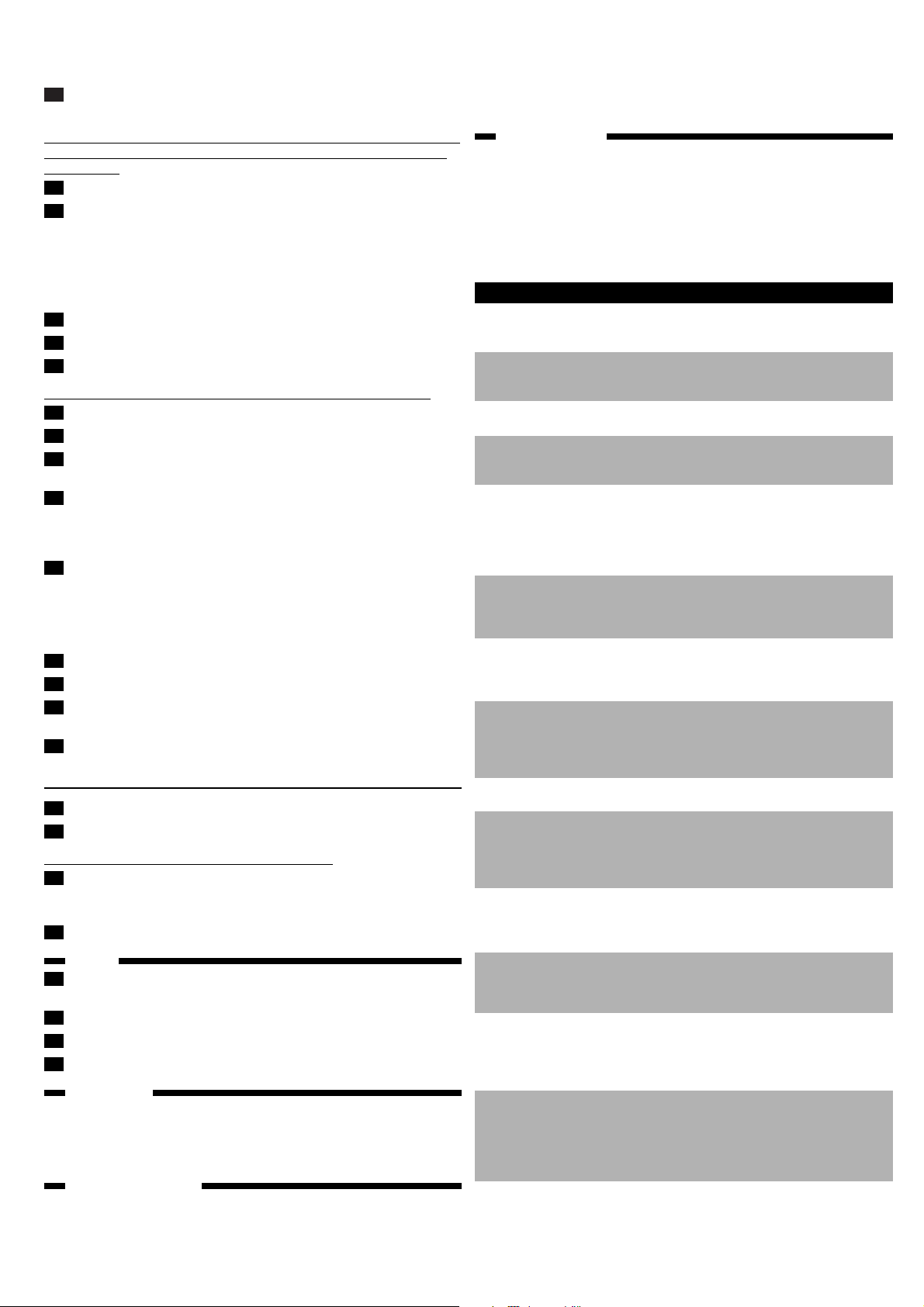
Calc-Clean position x (fig. 9).
7 Pull the steam control slightly upwards and gently shake the iron
until all water in the tank has been used up.
Steam and boiling water will come out of the soleplate. Scale (if any) will
be flushed out.
8 After having used the Calc-Clean function, press the steam control
back to its original position and set it to position O.
Repeat the Calc-Clean process if the water coming out of the iron still
contains scale particles.
After the Calc-Clean process
1 Connect the iron to the mains to let the soleplate dry.
2 Unplug the iron when the temperature light has gone out.
3 Move the iron gently over a piece of used cloth to remove any
water stains that may have formed on the soleplate.
4 Let the iron cool down before you store it.
Cleaning the steam control needle
1 Pull the steam control out of the appliance (fig. 10).
2 Use vinegar to remove scale, if any, from the needle (fig. 11).
Do not bend or damage the steam control needle.
3 Reinsert the steam control needle by placing the point of the needle
exactly in the centre of the hole and by fitting the small projection
on the side of the needle into the slot (fig. 12).
4 Set the steam control to position O.
Storage
.
1 Make sure the appliance is unplugged and set the steam control to
position O.
2 Empty the water tank (fig. 13).
3 Wind the mains cord around the cord storage facility.
4 Store the iron on its heel in a safe and dry place (fig. 14).
Environment
.
Do not throw the appliance away with the normal household waste
at the end of its life, but hand it in at an official collection point for
recycling. By doing this you will help to preserve the environment
(fig. 15).
Guarantee & service
.
If you need information or if you have a problem, please visit the Philips
website at www.philips.com or contact the Philips Customer Care Centre
in your country (you will find its phone number in the worldwide guaran-
tee leaflet). If there is no Customer Care Centre in your country, turn to
your local Philips dealer or contact the Service Department of Philips
Domestic Appliances and Personal Care BV.
Troubleshooting
.
This chapter summarises the most common problems you could encounter
with your iron. Please read the different sections for more details. If you
are unable to solve the problem, contact the Customer Care Centre in
your country.
Solution(s)
Check if the plug is connected
to the wall socket properly.
Set the temperature control dial
to the required temperature.
Fill the water tank (see 'Filling
the water tank').
Set the steam control dial to
position q or w (see 'Steam
ironing').
Set the temperature control dial
to a temperature suitable for
steam ironing (2 to MAX).
Put the iron on its heel and wait
until the pilot light has gone out
before you start ironing.
Press and hold the steam
control dial for maximal 5
seconds.
Wait at least 1 minute before
using the Extra Steam function
again.
Set the temperature control dial
to a temperature between 3
and MAX. Put the iron on its
heel and wait until the pilot light
has gone out.
Fill the water tank (see 'Filling
the water tank').
Set the temperature control dial
to a temperature between 3
and MAX. Put the iron on its
heel and wait until the pilot light
has gone out.
Wait at least 1 minute before
using the Extra Steam function
again (see 'Extra Steam').
Fill the water tank (see 'Filling
the water tank').
Use the Calc-Clean function a
few times (see 'Calc-Clean').
Set the temperature control dial
to a temperature suitable for
steam ironing (2 to MAX).
Put the iron on its heel and wait
until the pilot light has gone out
before you start ironing.
Empty the water tank and set
the steam control to position O
before storing the iron (see
'Storage'). Place the iron on its
heel.
Possible cause(s)
There is a connection
problem.
The temperature
control dial has been
set to MIN.
There is not enough
water in the water tank.
The steam control dial
has been set to position
O.
The iron is not hot
enough.
The steam control dial
has not been pressed
long enough.
The Extra Steam
function has been used
too often in a short
period.
The iron is not hot
enough.
There is not enough
water in the water tank.
The iron is not hot
enough.
The Extra Steam
function has been used
too often in a short
period.
There is not enough
water in the water tank.
You have been using
hard water, which has
caused scale flakes to
develop inside the
soleplate.
The set temperature is
too low.
The iron has been put
in horizontal position
while there is still water
in the water tank.
Problem
The iron is plugged in
but the soleplate is
cold.
The iron does not
produce any steam.
The Extra Steam
function does not work
(types GC1121 and
GC1120)
Water leaks from the
soleplate when I use
the Extra Steam
function (types
GC1121 and GC1120)
The spray function does
not work (types
GC1121, GC1120,
GC1115 and GC1015)
Flakes and impurities
come out of the
soleplate during ironing.
Water leaks from the
soleplate during ironing.
Water leaks from the
soleplate while the iron
is cooling down or after
it has been stored.
Comfort
4239 000 52292
3/12
Download Bedienungsanleitung auf Deutsch (PDF, 0.33 MB)
(Denken Sie an die Umwelt und drucken Sie diese Bedienungsanleitung nur aus, wenn es unbedingt nötig ist)

Loading…

Bewertung

Teilen Sie uns mit, was Sie über die Philips GC1010 Bügeleisen denken, indem Sie eine Produktbewertung verfassen. Möchten Sie Ihre Erfahrungen mit diesem Produkt teilen oder eine Frage stellen? Hinterlassen Sie einen Kommentar am Ende dieser Seite!
Sind Sie mit Philips GC1010 Bügeleisen zufrieden?
Ja Nein
Seien Sie die erste Person, die dieses Produkt bewertet
0 Bewertungen

Diskutieren Sie über dieses Produkt mit

Hier können Sie uns Ihre Meinung zu Philips GC1010 Bügeleisen mitteilen. Wenn Sie eine Frage haben, lesen Sie zunächst das Bedienungsanleitung sorgfältig durch. Die Anforderung eines Bedienungsanleitung kann über unser Kontaktformular erfolgen.

Nguyễn văn bê 31-08-2024
Wie man eine Windjacke bügelt

Antworten | Das war hilfreich (0) (Übersetzt von Google)
×
Wie man eine Windjacke bügelt

Mehr zu diesem Bedienungsanleitung

Wir verstehen, dass es schön ist, ein gedrucktes Bedienungsanleitung für Ihr Philips GC1010 Bügeleisen zu haben. Sie können das Bedienungsanleitung jederzeit von unserer Website herunterladen und selbst ausdrucken. Wenn Sie ein Originalhandbuch wünschen, empfehlen wir Ihnen, Philips zu kontaktieren. Möglicherweise können sie ein Originalhandbuch bereitstellen. Suchen Sie das Bedienungsanleitung Ihres Philips GC1010 Bügeleisen in einer anderen Sprache? Wählen Sie auf unserer Homepage Ihre bevorzugte Sprache und suchen Sie nach der Modellnummer, um zu sehen, ob wir sie verfügbar haben.

Spezifikationen

Marke Philips
Modell GC1010
Kategorie Bügeleisen
Dateityp PDF
Dateigröße 0.33 MB

Alle Anleitungen für Philips Bügeleisen
Weitere Anleitungen von Bügeleisen

Häufig gestellte Fragen zu Philips GC1010 Bügeleisen

Unser Support-Team sucht nach nützlichen Produktinformationen und beantwortet Ihre häufig gestellten Fragen. Sollte Ihnen ein Fehler bei den häufig gestellten Fragen auffallen, teilen Sie uns dies bitte anhand unseres Kontaktformulars mit.

Kann ich die Unterseite meines Bügeleisens mit einem Scheuerlappen reinigen? Verifiziert

Nein, dies könnte die Unterseite beschädigen. Verwenden Sie ein feuchtes Tuch oder einen weichen Schwamm zur Reinigung.

Das war hilfreich (420) Mehr lesen

Worin besteht der Unterschied zwischen einem Dampfbügeleisen und einem herkömmlichen Bügeleisen? Verifiziert

Der größte Vorteil eines Dampfbügeleisens ist, dass es Falten durch die Verwendung von Dampf leichter beseitigt. Ein reguläres Bügeleisen ist hingegen viel leichter und oft billiger.

Das war hilfreich (343) Mehr lesen

Die Sohle meines Bügeleisens ist verfärbt. Kann ich noch damit bügeln? Verifiziert

Ja, aber es könnte sein, dass das Bügeleisen auf helle Kleidungsstücke abfärbt.

Das war hilfreich (285) Mehr lesen

Kann ich über Knöpfe bügeln? Verifiziert

Nein, dies beschädigt die Bügeleisensohle, wodurch das Bügeleisen nicht mehr richtig funktioniert. Bügeln Sie niemals über Knöpfe, Reißverschlüsse oder andere harte Objekte.

Das war hilfreich (233) Mehr lesen

Der Boden von meinem Philips-Bügeleisen hat ein paar Kratzer, kann ich es immer noch verwenden? Verifiziert

Ja, das ist kein Problem. Der Boden besteht aus mehreren Lagen, dadurch stellen kleinere Kratzer kein Problem dar. Das Bügeleisen sollte immer noch ordnungsgemäß funktionieren.

Das war hilfreich (65) Mehr lesen
Bedienungsanleitung Philips GC1010 Bügeleisen

Verwandte Produkte

Verwandte Kategorien

×
Download