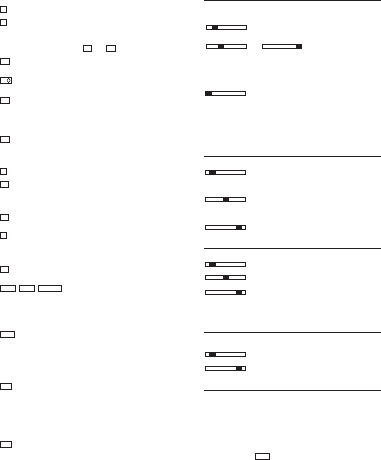
Multiplication key
Result key for multiplications and divisions
- Conclude calculation.
Result is requested.
The result can be further used with the (+, -, x,
) command or
transferred to the memory with and .
Memory total key
- Recall / Clear memory contents.
Memory sub-total key
- Recall memory contents.
Memory subtraction key
- The entered value is subtracted from the memory con-
tents.
- Conclude calculation.
The result is subtracted from the memory contents.
Memory addition key
- The entered value is added to the memory contents.
- Conclude calculation.
The result is added to the memory contents.
Paper transport key
Percent mark-up key
- The percentage value is added.
To be proceeded by stored percentage or entered percen-
tage.
Delta %
- For the calculation of percentage differences of two values.
Clear last digit key (*)
- The last digit of the entered value in the display is cleared.
- To choose currency code for 1st currency and 2nd curren-
cy etc. at Currency conversion mode.
Square root key (*)
- Calculate the square root of the entry number.
Calculation
- Used for calculating the cost, selling price and profit mar-
gin amount.
Enter the value of any 2 items to obtain automatically the un-
known value item. (e.g. enter the value of the cost and the sel-
ling price to obtain automatically the profit margin %.)
Rate set key
To perform with function key and numeral key.
- Recall and set the 1st currency and 2nd currency.
- Recall and store the currency rates.
- Recall the stored rate and store the rate for TAX and %+
calculations.
- Negative value can not be entered as any rate.
Currency conversion-1 / Tax plus key
TAX+ Selection slide switch at the CONV mode position:
- Convert from 2nd currency to 1st currency.
To be proceeded by conversion rates of originally installed
11-currency and user stored currencies.
Selection slide switch at the TAX mode position:
- The Tax value is added.
To be proceeded by stored tax rate.
Currency conversion-2 / Tax minus key
TAX– Selection slide switch at the CONV mode position:
- Convert from 1st currency to 2nd currency.
To be proceeded by conversion rates of originally installed
11-currency and user stored currencies.
Selection slide switch at the TAX mode position:
- The Tax value is subtracted.
To be proceeded by stored tax rate.
B.5 Sliding switches
B.5.1 Point selection
A F 0 2 3 4 6 Floating decimal point ON
Result to maximum number of decimal places.
A F 0 2 3 4 6 A F 0 2 3 4 6 Fixed point ON
The result is given, depending on the switch setting, to 0,2,3,4 or 6
decimal places.
Sums which extend beyond the number of places to the left of the
decimal point, limited by a fix point, results in the decimal places
being truncated.
A F 0 2 3 4 6 Rapid adding ON (add mode)
After entering the digits (without point) and pressing the Addition
or Subtraction keys, the decimal point is automatically set in front
of the last two digits.
At Conversion-Mode:
If conversion result is ‘Euro’, the decimal point will be automatically
set at 2 & 5/4, excluding the case of decimal setting at ‘F’ position.
B.5.2 Rounding selection
▼ 5/4 ▲ Tr uncation ON
The decimal places extending beyond the set number are trunca-
ted.
▲ 5/4 ▲ Rounding ON
The decimal number extending beyond the set number of places is
rounded up or down.
▼ 5/4 ▲ General rounding to 1 digit
B.5.3 Calculation mode and item counter selection
D P IC Display mode
D P IC Print and Display mode
D P IC Item counter (+),ON
- Counts all + and - entries, upwards
When switching from D to P or IC, a control paper feeding of 1 line
is executed.
B.5.4 Currency conversion mode and Tax calculation mode
selection
CONV TAX Currency conversion mode
CONV TAX Tax calculation mode
B.6 Display indication
M- The memory contains data
–- Negative value
E- Capacity overflow
Currency symbols on display are shown in “Currency code table”
(page 31)
SEt
When depressing
,
SEt will be appeared on display.
When Tax rate is stored or recalled,
t will be appeared with num-
ber on display.
When %+ rate is stored or recalled, P will be appeared with num-
ber on display.
RATE
5 2
5 1
RATE
MARGINSELLCOST
√
∆%
%+
M+
M
_
M
_
M
M–M+
=
x
8
CPD_3212_5212_ganz neu 19.08.2004 15:55 Uhr Seite 8


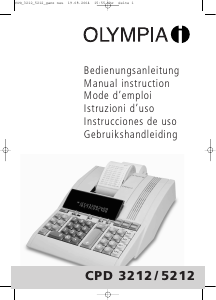
Diskutieren Sie über dieses Produkt mit
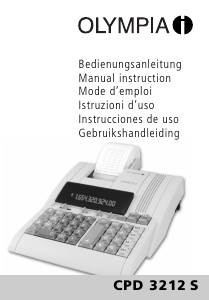
Hier können Sie uns Ihre Meinung zu Olympia CPD 3212 Druckende rechner mitteilen. Wenn Sie eine Frage haben, lesen Sie zunächst das Bedienungsanleitung sorgfältig durch. Die Anforderung eines Bedienungsanleitung kann über unser Kontaktformular erfolgen.