iv
Generic Mode ................................................................................................2-12
Customer- Side Display Text .........................................................................2-12
Key Sound .....................................................................................................2-12
OTHER CONFIGURATIONS ...........................................................................2-13
Touchscreen calibration.................................................................................2-14
Sets List .........................................................................................................2-15
OPERATOR MANAGEMENT...........................................................................2-16
Selecting operators........................................................................................2-17
3. THE SALES ENVIRONMENT (MAIN ENVIRONMENT) .......................3-1
SALES FUNCTIONS (MAIN ENVIRONMENT)...................................................3-3
USING THE MAIN SALES ENVIRONMENT.......................................................3-5
USING THE DEPARTMENT AND/OR ITEM LISTS............................................3-6
Department Associated With One Or More Items (P LU)..................................3-6
Sales using the Department List ......................................................................3-7
Sales using the Item List (Plu Department Selected).......................................3-8
PAYMENT METHODS .......................................................................................3-9
PAYMENTS .....................................................................................................3-10
Currencies .....................................................................................................3-11
Credit .............................................................................................................3-12
Voucher - Luncheon.......................................................................................3-13
Chipcard Payments and Operations ..............................................................3-14
Paying for a Sale using a Chipcard and Point Calculation.............................3-14
Displaying the contents of the Chipcard.........................................................3-15
Chipcard Deposits..........................................................................................3-15
Chipcard Withdrawals ....................................................................................3-15
4. RETAIL ENVIRONM ENT – PLU/DEPARTMENTS ................................4-1
SELLING ITEMS BY DEPAR TMENT .................................................................4-1
SELLING ITEMS BELONGING TO A DEPARTMENT ........................................4-2
PROGRAMMING VAT RATES-CODE308.......................................................4-4
PROGRAMMING DEPARTMENTS - CODE 401................................................4-5
PROGRAMMING AN ITEM (PLU) – CODE 802..................................................4-7
MODIFYING, DELETING, PRINTING AND FORMATTING THE
DATA RELATED TO AN ITEM (PLU) – SET 804,803,801,800 ...........................4-7
ASSOCIATING PROGRAMMING TO A KEY .....................................................4 -8
PLU details ......................................................................................................4-9
Change PLU details.......................................................................................4-10
5. RETAIL ENVIRONMENT – GENERIC MODE........................................5-1
GENERIC PROGRAMMING OF THE KEYPAD .................................................5-1
How to associate and customise keys .............................................................5-2
Deleting the association to a key .....................................................................5-3



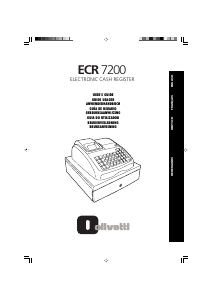
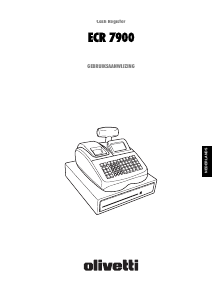
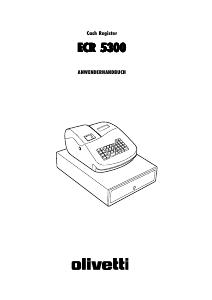
Diskutieren Sie über dieses Produkt mit
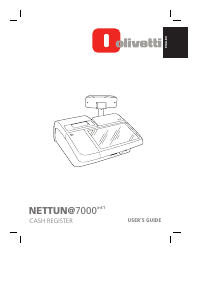
Hier können Sie uns Ihre Meinung zu Olivetti Nettun 7000 Registrierkasse mitteilen. Wenn Sie eine Frage haben, lesen Sie zunächst das Bedienungsanleitung sorgfältig durch. Die Anforderung eines Bedienungsanleitung kann über unser Kontaktformular erfolgen.