EN nv Niko sa Industriepark West 40, BE-9100 Sint-Niklaas, Belgium — tel. +32 3 778 90 00 — fax +32 3 777 71 20 — e-mail: support@niko.be — www.niko.eu PM351-26450R16324
351-26450 / 351-26460 / 351-26470 / 351-26480
4
OUTDOOR MOTION DETECTOR 14 M, 200°
Read the complete manual before carrying out the installation and activating the system. Keep the
manual for future reference.
1. DESCRIPTION
This motion detector registers the presence of persons and their movements via a passive infrared sensor (PIR). It
is most sensitive for diagonal movements passing through the detection area (see fig. 1). The sensor is equipped
with the elimination of creeping zones. The sensitivity to movements directly towards the sensor is about 50% less.
The detector only switches on once the set daylight condition (twilight level) is no longer reached. The duration
of activation is extended as long as movements of persons are detected. After switching on, the detector detects
the daylight level and automatically switches off when there is sufficient daylight.
The detector comes in the following 4 versions:
reference colour
351-26450 white
351-26460 brown
351-26470 black
351-26480 alu
2. USE
The motion detector is suitable for controlling indoor and outdoor lighting.
Be aware of the following during installation:
• Mount the motion detector solely on stable walls and ceilings.
• Hide any moving objects in the detection area by shielding the lens.
• Do not place any lighting closer than 1 m from the sensor (see fig 2).
• Do not mount the motion detector in the path of direct cold or hot air flow.
3. MOUNTING
The detector is designed for wall or ceiling mounting between 2 and 8 m in height. The range of the detection
area depends on the mounting height (see fig. 1).
The detector is mounted as follows (see fig. 3):
1. Mount the base of the detector to the ceiling or wall.
2. Connect the wires to the clamps (see fig. 6 and § 4).
3. Click the detector back onto the base.
4. Configure the detector with the potentiometers below the device (see fig. 4 and § 6).
4. WIRING
Connect the detector as shown in the wiring diagram in fig. 6.
The lighting can also be manually activated by pressing the N.C. push button (230 V AC connected to the
L-Clamp). Press and hold the button for more than 0.5 seconds to switch the lighting ON, regardless of the
measured daylight level.
Conductor L
Neutral conductor N
Switched output relay L’
5. CONNECTING DEVICES
A high inrush current decreases the life span of the relay integrated into the detector. Respect the technical
specifications of the lighting manufacturers to prevent overloading the relay. We recommend connecting a
maximum of 3 to 4 detectors in parallel. This keeps the switching circuit organised. If the number of switching
cycles is higher than average or in case of an increased load, we recommend to run the load via an external
relay or an external fuse.
6. CONFIGURATION
The detector is ready for use approximately 1 minute after connection to the electricity grid. The settings can
only be changed while the detector is switched on. The settings for the switch-off delay and light sensitivity
can be changed using the potentiometers on the device or the remote control 351-25320 (to be purchased
separately). The detection range can only be changed with the remote control.
6.1. Switch-off delay
Using the TIME potentiometer, the switch-off delay after the final movement is set (see fig. 4a). Once the relay
output is connected to a staircase timer, set the TIME switch to 'pulse'.
6.2. Light sensitivity
Using the LUX potentiometer, you can set the threshold value of the twilight switch continuously between ð
(daytime mode, 2,000 lux) and (night mode, 5 lux) (see fig. 4b).
6.3. Detection range
The sensitivity of the PIR sensor can be set with the SENS button on the remote control 351-25320 (to be
purchased separately).
7. DISPLAY
The statuses pictured below are shown with the indication LED on the device. The settings can be changed using
the potentiometers on the device or the remote control 351-25320 (to be purchased separately). If a setting is
changed, the relay output of the detector will switch off briefly.
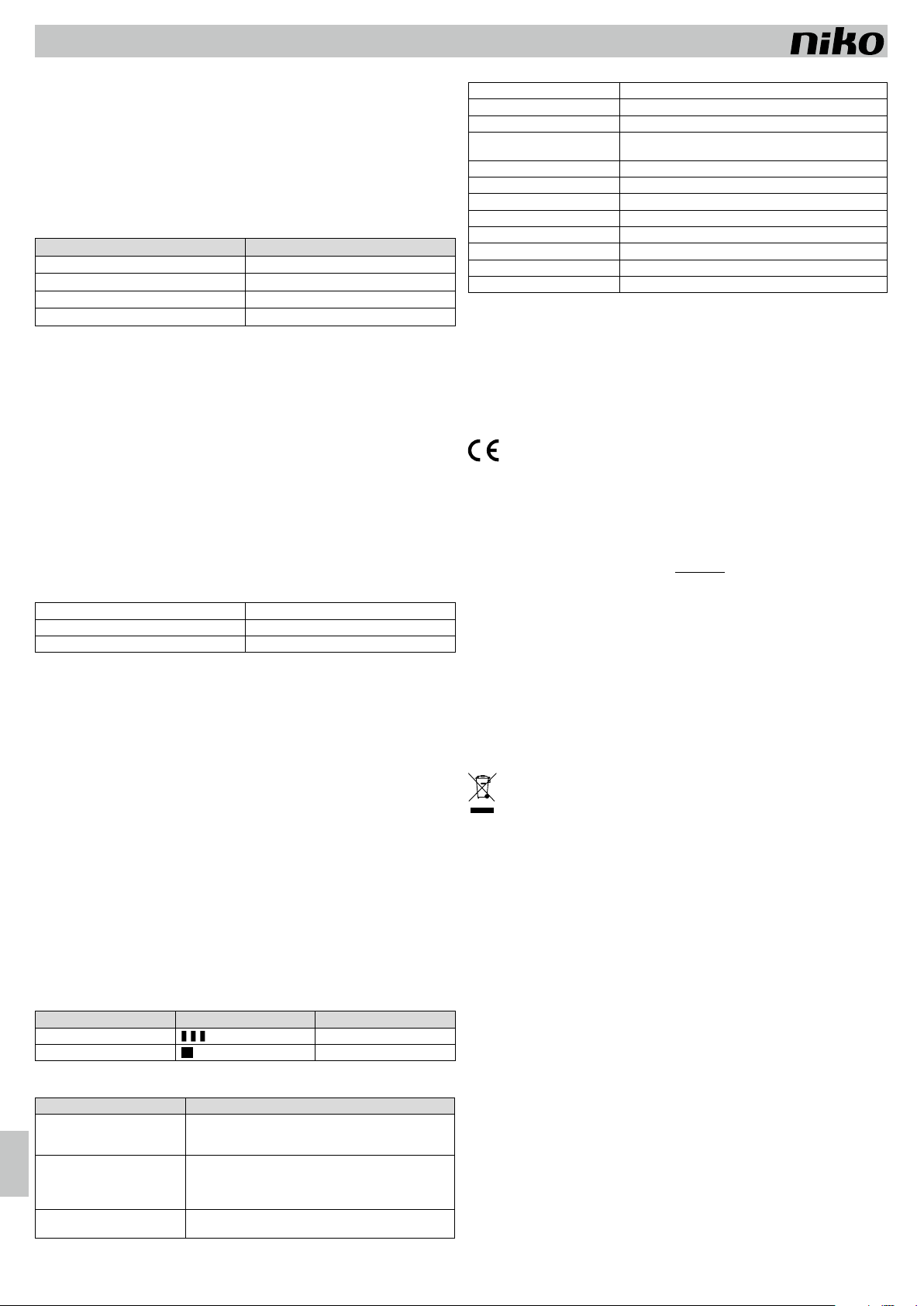
Status LED display Description
Changing a setting
The LED flashes briefly 3 times
Motion detection
The LED flashes once
8. TROUBLESHOOTING
Malfunction Solution
The switch output does not switch. • The daylight level is too high. Lower the light sensitivity (turn in
the direction of ð).
• Check the lighting and the fuse.
The switch output switches too often
or won't switch off
• The daylight level is too low. Increase the light sensitivity (turn in
the direction of ).
• Mask a part of the lens.
• The detection range is too wide. Decrease the detection range.
The switch output switches on during
the day
• The daylight level is too low. Increase the light sensitivity (turn in
the direction of MOON SYMBOL).
9. TECHNICAL DATA
Dimensions in mm (LxWxD) 70 x 74 x 106 (incl. base)
Dimensions in mm (H) Ø 63
Power supply voltage 230 V / 50 Hz
Relay switching capacity max. 2300 W
max. 1150 VA
Mounting height 2 m to 8 m
Detection angle 360°
Detection range max 12 m at a mounting height of 3 m
Light sensitivity 5 - 2,000 lux
Relay switch-off delay Pulse, 10 s to 20 min
Protection class II
Protection degree IP55
Ambient temperature -30 – 55 °C
10. WARNINGS REGARDING INSTALLATION
•
The installation should be carried out by a registered installer and in compliance with the applicable regulations.
• This user manual should be presented to the user. It should be included in the electrical installation file, and
it should be passed on to any new owners. Additional copies are available on the Niko website or via the Niko
support service. The latest manual for this product is available on the Niko website at any time.
• During installation, the following should be taken into account (non-exhaustive list):
- the applicable laws, standards and regulations.
- the technology available at the time of installation.
- this user manual, which only states general regulations and should therefore be read within the scope
of each specific installation.
- the rules of proper workmanship.
This product complies with all of the relevant European guidelines and regulations. If applicable, you can find
the EC declaration of conformity regarding this product at www.niko.eu.
11. NIKO SUPPORT
In case of doubt or if you want to exchange the product in case of a defect, contact your wholesaler or the
Niko support service:
• Belgium: +32 3 778 90 80
• The Netherlands: +31 880 15 96 10
Contact details and more information can be found at www.niko.eu under the “Help and advice” section.
12. WARRANTY PROVISIONS
• The warranty period is four years from the date of delivery. The delivery date is the invoice date of purchase
of the product by the consumer. If there is no invoice, the date of production applies.
• The consumer is obliged to inform Niko in writing about the non-conformity, within two months of noticing
the defect.
• In case of a non-conformity, the consumer only has the right to a product repair or replacement free of charge,
which shall be decided by Niko.
• Niko shall not be held liable for a defect or damage resulting from incorrect installation, improper or careless
use, incorrect operation, transformation of the product, maintenance that does not adhere to the maintenance
instructions or an external cause, such as damage due to moisture or overvoltage.
•
The compulsory regulations of the national legislation concerning the sale of consumer goods and the
protection of the consumer in the countries where Niko sells, directly or via sister companies, subsidiaries,
chain stores, distributors, agents or permanent sales representatives, take priority over the above-mentioned
rules and regulations.
This product cannot be deposited in the unsorted waste. Take your discarded product to a recycling centre or a recognised
collection point. Just like producers and importers, you too play an important role in the promotion of sorting, recycling and
reuse of waste electrical and electronic equipment. To finance the rubbish collection and waste treatment, the government
levies recycling charges in certain cases (included in the price of this product).




Diskutieren Sie über dieses Produkt mit
Hier können Sie uns Ihre Meinung zu Niko 351-26470 Bewegungsmelder mitteilen. Wenn Sie eine Frage haben, lesen Sie zunächst das Bedienungsanleitung sorgfältig durch. Die Anforderung eines Bedienungsanleitung kann über unser Kontaktformular erfolgen.