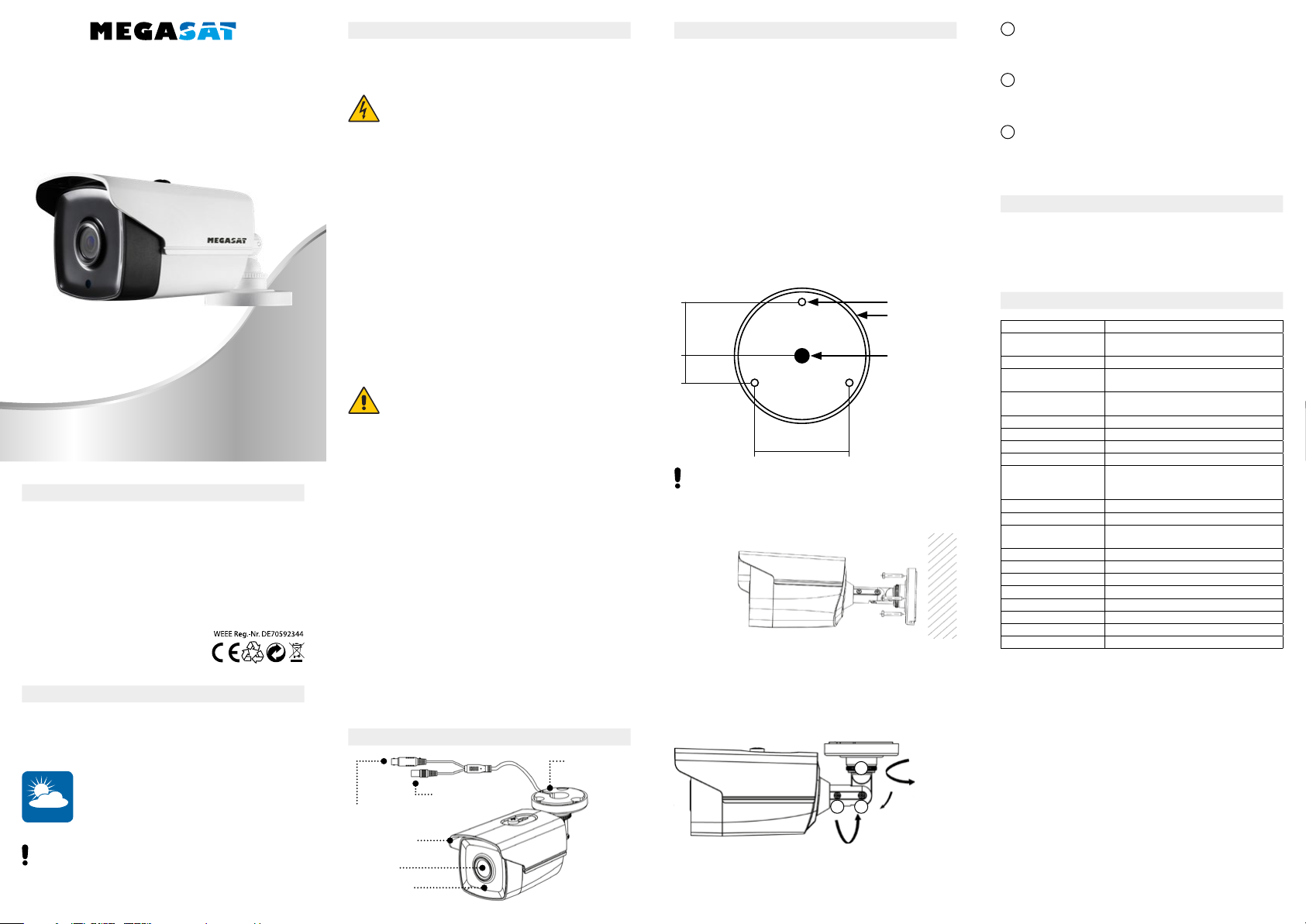
HSC 20
Note: The hole of the cable hole is required only when the out-
let is used to lay the cable.
• Make sure the device is in good condition in the packaging and
all mounting hardware is included.
• Make sure all related devices are turned off during installation.
• If you connect an additional power supply (not included!), First
check that the power supply matches your output power to
prevent damage.
• Make sure the wall is strong enough to withstand the weight of
the camera and mounting bracket.
• When mounting on masonry, please use suitable dowels and
screws. When mounting on a wooden wall please use suitable
screws for fixing.
1. Place the drilling template on the wall or ceiling.
2. Drill the holes according to the drilling template.
Attachment to the wall or ceiling
user manual
5. Using the camera
6. Specicatons
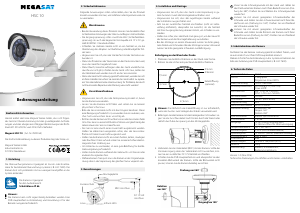
3. Designations
4. Installation and mounting
Mounting plate
Lins
Light sensor
Sun protection
BNC-port
DC 12 V port
Ø 68 mm
cable hole
(optional)
47,6 mm
Ø 4 mm
27,5 mm
13,7 mm
3. Secure the camera with the enclosed screws. Lay the connec-
tion cable backwards through the wall or laterally through the
recess on the mounting plate.
4. Connect the video cable (BNC) to the camera. If the power
supply via the video cable is not sufficient, you can connect an
additional DC 12 V power supply.
5. Turn on the DVR main unit and check the correct angle of the
camera. If the viewing angle does not fit, you can adjust the
camera as you like.
Loosen the screw threads by hand and adjust the rotation
angle of the camera according to your needs (rotation up to
360 °). Then tighten the screw thread again.
Loosen the screw with a suitable screwdriver and adjust the
swivel angle to your needs (rotation up to 180 °). Then tighten
the screw again.
Loosen the screw with a suitable screwdriver and adjust the
rotation of the camera according to your needs (rotation up to
360 °). Then tighten the screw again.
After properly installing the camera, it will automatically be detec
-
ted by your main DVR unit.
Further steps for integration into the system can be found in the
instructions of the DVR main unit (eg HSC 7800).
Rotation
360°
Tilt 180°
Pan 360°
1
1
2
3
23
Material housing Metal
Sensor 2 Megapixel
Progressive-Scan-CMOS
Video Resolution 1920 x 1080 Pixel
Photosensitivity 0.05 Lux @ (F1.2, AGC ON)
0 Lux with IR
Shutter speed PAL: 1/25 s to 1/50.000 s
NTSC: 1/30 s to 1/50.000 s
Fixed focal length 2.8 mm
Viewing angle 103.5° (at 2.8 mm)
Lens mounting M12
Night vision coverage up to 40 meters
Angle adjustment Rotation: 360°
Tilt: 180°
Pan: 360°
Aynchronization Interne Synchronisation
WDR > 120 dB
Outputs 1x HD analog output (BNC)
1x power supply
Temperature range -40° C to +60° C
Humidity < 90 % (not condensing)
Power supply 12 V DC (±25 %) (via BNC-cable)
Power consumption max. 3.6 W
Protection class IP67
Dimensions 86.7 × 81.6 × 226 mm (W/H/L)
Weight 680 g
Delivery Camera, screw set, user manual
Version: 1.0 (May 2018)
Technical changes, misprints and errors reserved.
The surveillance camera is suitable as an additional or replace-
ment camera for existing surveillance systems (eg HSC 7800). The
camera can be easily integrated into the system with just a few
simple steps.
Hereby declare the company Megasat Werke GmbH that the fol
-
lowing device is in compliance with the essential requirements
and other relevant provisions of Directive Council 2014/30/EU and
2014/35/EU: Megasat HSC 20 (Art.-Nr. 0900167)
The Declaration of Conformity for these products is located at the
company:
Megasat Werke GmbH
Industriestraße 4a
D-97618 Niederlauer
Note:
The camera can not be operated independently. A DVR main
unit for integration and management is essential for operation.
The camera is suitable
for outdoor use.
Protection class IP 67
OUTDOOR
1. Introduction
Conformity information
The following instructions are intended to ensure that you can use
the product correctly to avoid danger or property loss.
• When using this product, you must strictly comply with the natio
-
nal and local electrical safety regulations.
• The input voltage should meet both the SELV (safety extra-low
voltage) and the limited 12 V DC power source according to
IEC60950-1 standard.
• Do not connect multiple devices to a power supply as overloa-
ding the adapter may cause overheating or fire hazard.
• Make sure the plug is firmly connected to the power outlet.
• If the product is to be mounted on the wall or ceiling, the applian-
ce must be firmly attached.
• If smoke, odors, or unusual noises occur, immediately turn off the
power, unplug the power cord, and contact the service center.
• If the device does not operate properly, contact your dealer. Never
try to repair the device yourself. We assume no responsibility for
problems caused by unauthorized repair or maintenance!
• Make sure that the mains voltage is correct before using the ca
-
mera.
• Do not drop the camera or subject it to physical shock.
• Please do not touch the sensor modules with your fingers. If clea-
ning is required, use a clean, soft cloth and gently wipe it off.
• Do not aim the camera at the sun or bright places. This can lead
to a malfunction and at the same time affect the life of the sensor.
• The sensor can be burned out by a laser beam. For laser devices,
therefore, make sure that the sensor surface is not exposed to the
laser beam.
• Do not place the camera in extremely hot, cold, dusty or damp
locations and do not expose it to high levels of electromagnetic
radiation.
• To avoid heat build-up, good ventilation is required for the ope-
rating environment.
• Keep the camera away from water or other liquids during use.
• During transport, the camera must be packed in the original pa-
ckaging or in the same texture packaging.
Warnings
Precautions
2. Safety instructions


Diskutieren Sie über dieses Produkt mit
Hier können Sie uns Ihre Meinung zu Megasat HSC 20 Überwachungskamera mitteilen. Wenn Sie eine Frage haben, lesen Sie zunächst das Bedienungsanleitung sorgfältig durch. Die Anforderung eines Bedienungsanleitung kann über unser Kontaktformular erfolgen.