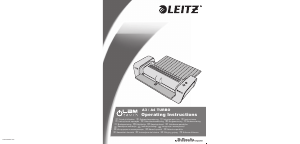
Bedienungsanleitung Leitz iLAM Touch A3 Turbo Laminiergerät

Benötigen Sie ein Bedienungsanleitung für Ihren Leitz iLAM Touch A3 Turbo Laminiergerät? Unten können Sie das PDF-Bedienungsanleitung kostenlos auf Deutsch ansehen und herunterladen. Für dieses Produkt gibt es derzeit 0 häufig gestellte Fragen, 3 Kommentare und 5 Stimmen mit einer durchschnittlichen Produktbewertung von 40/100. Wenn dies nicht das von Ihnen gewünschte Bedienungsanleitung ist, kontaktieren Sie uns bitte.

Ist Ihr Produkt defekt und bietet die Bedienungsanleitung keine Lösung? Gehen Sie zu einem Repair Café, wo es gratis repariert wird.

Bedienungsanleitung

Loading…

6
Situation Reaction
During lamination
the pouch gets
stuck in the front
part of the lami-
nator.
Automatic reverse is activated
and the pouch is driven out
through the input tray. Assist the
process by carefully pulling at
the pouch. As soon as the pouch
has left the front sensor area, the
laminator switches off automati-
cally to prevent the pouch from
being pulled in again. To laminate
another item, switch the device
on again.
During lamination
the user switches
off the device or
the mains power
fails or the device
is otherwise dis-
connected from
mains.
After re-starting the laminator,
automatic reverse is activated for
30 seconds to drive out the pouch
through the input tray. As soon as
the READY indicator lights green,
you can laminate again as usual.
Important: Clean the rollers after any pouch jam as
described in section “Maintenance and care”.
G
Thickness sensor with speed adjustment – Your
Leitz laminator is provided with a sensor which rec-
ognizes the thickness of the material to be laminat-
ed and adjusts the laminating speed accordingly.
By this, all approved materials from normal copying
paper to photographs, coated inkjet and laser pa-
pers are always laminated as good as possible.
H
Four-stage READY indicator – Three red lights
and one green light have the following meaning:
3 red lights
Heating up
(approx. 1 minute)
2 red lights
Heating up
(approx. 35 seconds)
1 red light
Heating up
(approx. 15 seconds)
Green light
Ready for laminating
3 red lights,
blinking
Automatic or manual reverse
A red light coming up during the lamination process
means that the laminating temperature has dropped
too far or the sensors are being calibrated automa-
tically. This is normal behaviour. Just wait with the
next pouch until the green light comes up again.
Overview of your laminator
Open out the front cover page where you will nd a
diagram that you can keep for reference while reading
these operating instructions.
Input tray – Here you insert the pouch with the
document to be laminated centrally. This tray can
be folded in for space-saving storage.
Output tray – This is where the laminated docu-
ment exits. This tray can be folded in for space-
saving storage. You can also laminate without
folding out the tray when there is not enough room
at the place of action. In this case you must lead out
the laminated document diagonally upwards with
your hand so that it is not blocked.
C
Mains cord/plug – Connect this with a suitable
mains outlet. Read the safety precautions in this
manual.
D
Reverse button – This activates the manual re-
verse function. Use this, for instance, to prevent a
document that has not been inserted correctly from
being laminated further. Assist the reverse motion
by carefully pulling at the pouch. The READY indi-
cator blinks red while reverse motion is in progress.
The reverse motion ends as soon as you stop
pressing the button. Important: If the pouch has
almost entirely left the laminator through the output
tray, the transport moves on while pressing the but-
ton and no reverse motion is performed.
E
On/Off button – Use this to switch the laminator
on (button lights) and off (button does not light). If
no lamination is carried out, the laminator switches
off after 30 minutes (energy saving function).
F
Anti-jam recognition with automatic reverse
Your Leitz laminator is equipped with sensors to
assist you in removing a pouch from the laminator
in case of an impending or actual pouch jam. The
following table shows how the laminator reacts in
certain situations.
Download Bedienungsanleitung auf Deutsch (PDF, 10.02 MB)
(Denken Sie an die Umwelt und drucken Sie diese Bedienungsanleitung nur aus, wenn es unbedingt nötig ist)

Loading…

Bewertung

Teilen Sie uns mit, was Sie über die Leitz iLAM Touch A3 Turbo Laminiergerät denken, indem Sie eine Produktbewertung verfassen. Möchten Sie Ihre Erfahrungen mit diesem Produkt teilen oder eine Frage stellen? Hinterlassen Sie einen Kommentar am Ende dieser Seite!
Sind Sie mit Leitz iLAM Touch A3 Turbo Laminiergerät zufrieden?
Ja Nein
40%
60%
5 Bewertungen

Diskutieren Sie über dieses Produkt mit

Hier können Sie uns Ihre Meinung zu Leitz iLAM Touch A3 Turbo Laminiergerät mitteilen. Wenn Sie eine Frage haben, lesen Sie zunächst das Bedienungsanleitung sorgfältig durch. Die Anforderung eines Bedienungsanleitung kann über unser Kontaktformular erfolgen.

Bernd Andrae 25-02-2022
Die Laminate werden nicht eben sondern spiralförmig. Kann man an dem Gerät was einstellen, um ebene Laminate zu erhalten?

Antworten | Das war hilfreich (2)
charlotte 19-10-2020
kann man mit 2 folien zwischen die folie laminieren?

Antworten | Das war hilfreich (0) (Übersetzt von Google)
philippe vandepoele 04-07-2024
Wir haben ein Laminierblatt, das blockiert ist. Wie bekommen wir dieses Blatt heraus?

Antworten | Das war hilfreich (0) (Übersetzt von Google)

Mehr zu diesem Bedienungsanleitung

Wir verstehen, dass es schön ist, ein gedrucktes Bedienungsanleitung für Ihr Leitz iLAM Touch A3 Turbo Laminiergerät zu haben. Sie können das Bedienungsanleitung jederzeit von unserer Website herunterladen und selbst ausdrucken. Wenn Sie ein Originalhandbuch wünschen, empfehlen wir Ihnen, Leitz zu kontaktieren. Möglicherweise können sie ein Originalhandbuch bereitstellen. Suchen Sie das Bedienungsanleitung Ihres Leitz iLAM Touch A3 Turbo Laminiergerät in einer anderen Sprache? Wählen Sie auf unserer Homepage Ihre bevorzugte Sprache und suchen Sie nach der Modellnummer, um zu sehen, ob wir sie verfügbar haben.

Spezifikationen

Marke Leitz
Modell iLAM Touch A3 Turbo
Kategorie Laminiergeräte
Dateityp PDF
Dateigröße 10.02 MB

Alle Anleitungen für Leitz Laminiergeräte
Weitere Anleitungen von Laminiergeräte
Bedienungsanleitung Leitz iLAM Touch A3 Turbo Laminiergerät

Verwandte Produkte

Verwandte Kategorien

×
Download