
General Conguration
When you open the package, please check if it contains the following accessories:
• 1 alarm clock
• 1 manual
• 1 Type-C USB cable (1 metre)
Keep the clock and cable out of reach of infants or children. If any small part is
swallowed, seek medical treatment from a doctor immediately.
Please Avoid:
• Using the product near ammable objects and heat sources
• Using the product in settings with high temperature or humidity (e.g. bathroom).
This product does not have a waterproof feature
• Disassembling or modifying the product
• Subjecting the product to any impact or brute force
Product Specication:
• Power supply: DC 5 V-- 1A
• Bluetooth version: V5.0
• Rechargeable battery type: 18650
• Rechargeable battery capacity: 1200mAh, 4.44Wh
• Rechargeable battery voltage: 3.7V
• Charging Time: 5-6 hours (from no power to indication light off)
• Working Time: 4-6 hours
• Wireless transmission distance: Within 10 metres
• Transmission power: CLASS2, 4dbm
• Sensitivity: -80dBm<0.1%BER
• Frequency range: 2.402GHz-2.480GHz
• Support agreement: A2DP/AVRCP
• Audio signal to noise ratio: ≥75dB
• Speaker impedance: 4Ω
• Speaker power: 3W*1
• Working temperature: 0°C ~ 40°C
• Product storage temperature: 10°C ~ 30°C
Features:
• Time (12/24Hr format), Month, Date, and Temperature display on the same
screen
• Time accuracy: ±2 sec/day
• Calendar: 2000/1/1 - 2099/12/31
• 3 groups of alarm (A1, A2, A3)
• 3 levels of LED brightness (L1, L2, L3)
• Night mode (22:00-05:59 dimmer display)
• Temperature detecting range: -10°C ~ +50°C (°C format only)
• Temperature resolution: 1°C
• Temperature accuracy: ±2°C
• Sound control mode (power saving mode)
• Bluetooth speaker
• 1 built-in CR2032 button cell for time memory
• 1 built-in rechargeable 18650 battery for clock and Bluetooth speaker use
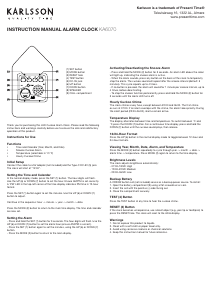
Buttons:
Power button
Settings button
Up button
Down button
Start-up:
Turn on/off LED displayHold Settings button + Up button together for 2 seconds to turn
on the LED display if using it for the rst time.Hold Settings button + Up button together
for 2 seconds again to turn off the LED display.
Calendar Setting:
When the year ashes, press the Up button or Down button to adjust the value step by
step. Hold the buttons to adjust more quickly. Press the Settings button to conrm and
skip to the month setting.
When the month ashes, follow the same process to adjust the value. Conrm with the
Settings button and proceed to the date.
When the date ashes, adjust similarly, conrm with the Settings button, and move to the
time display format setting.
Time Display Format Setting:
When 12Hr or 24Hr format ashes, press the Up button or Down button to switch
between the two formats.
Under 12Hr format, the PM indication light will appear for afternoon times.
Press the Settings button to conrm and move to the next time setting.
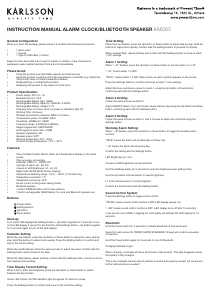
INSTRUCTION MANUAL ALARM CLOCK/BLUETOOTH SPEAKER KA6060
Time Setting:
When the hour ashes, press the Up button or Down button to adjust step by step. Hold the
buttons to adjust more quickly. Conrm with the Settings button to proceed to minutes.
When minutes ash, adjust similarly and conrm with the Settings button to move to alarm
1 (A1) settings.
Alarm 1 Setting:
When “--:A1” ashes, press the Up button or Down button to turn the alarm on or off:
“--:A1” means alarm 1 is OFF.
“ON:A1” means alarm 1 is ON. When active, an alarm symbol appears on the screen.
Press the Settings button to conrm and move to alarm 1 hour settings.
Adjust the hour and minute values for alarm 1 using the Up button or Down button,
conrming each with the Settings button.
Alarm 2 Setting:
Follow the same process as Alarm 1:
Adjust ON/OFF status, hour, and minute values step by step using the Up button and Down
button, conrming each with the Settings button.
Alarm 3 Setting:
Follow the same process as Alarm 1 and 2. Ensure all steps are conrmed using the
Settings button.
Workday Alarm Setting:
When “--:E” ashes, press the Up button or Down button to toggle the workday alarm
function:
“ON:E” means the alarm will ring Monday to Friday only.
“--:E” means the alarm will ring every day.
Conrm the setting with the Settings button.
LED Brightness (L1~L3):
3 levels of LED brightness can be selected:
Hold the Settings button for 2 seconds to enter the brightness level setting mode.
Use the Up button or Down button to select brightness:
L1 is the dimmest level, L3 is the brightest.
Conrm the desired level with the Settings button.
Sound Control System:
Press the Settings button to toggle sound control:
“ON:SD” means sound control function is ON (LED display always on).
“--:SD” means sound control function is OFF (LED display turns off after 15 seconds).
Loud sounds (over 60dB) or tapping the clock lightly will activate the LED display for 15
seconds.
Bluetooth:
Hold the Power button for 3 seconds to activate Bluetooth. A tone will sound.
Search for and connect to “WOOD SHOW SPEAKERS.” A beep will conrm successful
connection.
Hold the Power button again for 3 seconds to turn off Bluetooth.
Charging Indication Light:
When charging, a red light will show at the back of the product. This light disappears when
the battery is fully charged.
This is the complete manual with all sections included and properly revised. Let me know if
further renements are needed!


Diskutieren Sie über dieses Produkt mit
Hier können Sie uns Ihre Meinung zu Karlsson KA6060PU Wecker mitteilen. Wenn Sie eine Frage haben, lesen Sie zunächst das Bedienungsanleitung sorgfältig durch. Die Anforderung eines Bedienungsanleitung kann über unser Kontaktformular erfolgen.