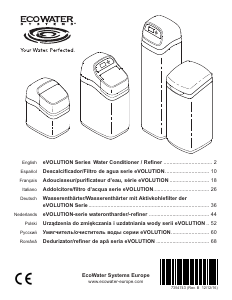
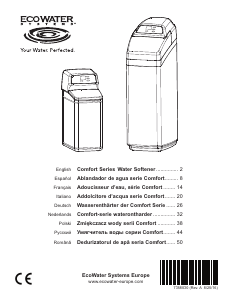
Bedienungsanleitung EcoWater eVOLUTION Power 600 Wasserreiniger

Benötigen Sie ein Bedienungsanleitung für Ihren EcoWater eVOLUTION Power 600 Wasserreiniger? Unten können Sie das PDF-Bedienungsanleitung kostenlos auf Deutsch ansehen und herunterladen. Für dieses Produkt gibt es derzeit 1 häufig gestellte Frage, 0 Kommentare und 0 Stimmen. Wenn dies nicht das von Ihnen gewünschte Bedienungsanleitung ist, kontaktieren Sie uns bitte.

Ist Ihr Produkt defekt und bietet die Bedienungsanleitung keine Lösung? Gehen Sie zu einem Repair Café, wo es gratis repariert wird.

Bedienungsanleitung

Loading…
5
Conditioner/Refiner Programming
ECOWATER
S Y S T E M S
English
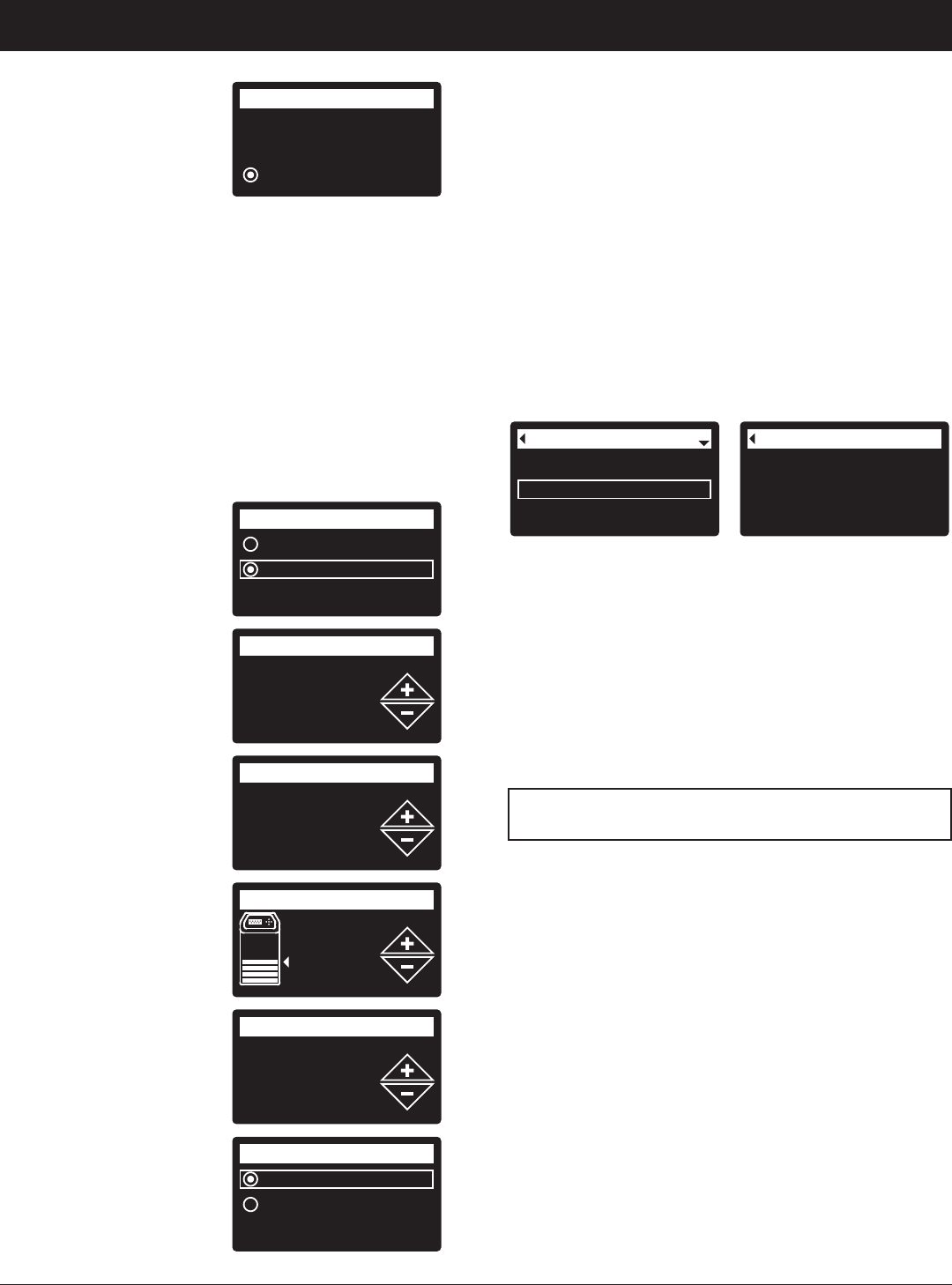
g. The softener display
should change to
“Connected” and give
y
ou a key code.
h
. Write down the key
code. You need it to
register your system on the Eco Water web site.
NOTE: If the “Connected” message shows “- - - - - -”
(dashes) instead of a key code, your router may
not be connected to the internet. Verify that the
router’s internet connection works with your
laptop or other device.
i. On your laptop, tablet or phone, go back to the view
of networks in range, and make sure that your
device is connected back to your local network.
5. FINISH SETTING UP THE SOFTENER Once you
have connected Wi-Fi and written down your key
code, press SELECT (¡) to continue setup.
6. SYSTEM UNITS Press
SELECT (¡) for metric
or use the UP (5) button
to go to English units
and press SELECT (¡).
7. CURRENT TIME Press
the DOWN (6) or UP
(5) buttons to set the
current time. Hold button
to go faster.
8. HARDNESS Press the
UP (5) or DOWN (6)
buttons to set the value
of your water’s hardness.
9. SALT LEVEL (only on
2-Tank units without a
salt level sensor) Press
the UP (5) or DOWN
(6) buttons to set the
salt level to match the
lowest number visible on
the brinewell above the
salt.
10. IRON LEVEL Press the
UP (5) or DOWN (6)
buttons to set the value
for iron in your water.
11. When “Setup
complete!” appears,
press SELECT (¡) and
the unit begins normal
operation.
Connected!
Key:
abc123
Wireless setup
C
ontinue
English
Metric
System units
18:45
Current time
430 PPM
Hardness
Salt level
4
0.0 PPM
Iron level
Run system
Redo setup
Setup complete!
REGISTER YOUR SYSTEM
1. In your internet browser, type in this URL:
http://wifi.ecowater.com
2. If you are a dealer, and have an account, log in to
your account. If you are a customer, you will need to
create a new account.
3. Follow the screens on the website. You will need to
enter the key code that you wrote down earlier. If
you wait too long before registering, the code may
change. This is a security feature. Look up the new
key code, as described in the following note.
NOTE: You can look up the current key code on your
softener’s controller by going down to the
System information menu and selecting
Wireless information.
Wireless information
DSN: AC000W000009876
Key:
abc123
Model information
Wireless information
Water available
System information
VISITING YOUR CUSTOMER ACCOUNT
Any time after your customer account has been created
and system registered, you can visit your account to
see your softener “dashboard”, change settings, etc.
Direct your browser to http://wifi.ecowater.com and
log in using the e-mail and password that were
specified when setting up the account.
HOW TO SHARE A SYSTEM BETWEEN A
DEALER AND CUSTOMER
NOTE: A system can only be shared from a
customer’s account, not a dealer’s.
Systems can be “shared” between a dealer and
customer. If a system is shared, the dealer has full
access to the displays and settings for that system on
the EcoWater Wi-Fi web site. If a system is not shared,
the dealer only has access to the “Manage Dealer
Alerts” screen for that system.
Once a customer account has been created by a
dealer, a customer can grant access to the dealer who
sold that system.
With permission, a dealer could also grant it for the
customer. To do so, a dealer must log in as a customer
rather than as a dealer, using the customer’s e-mail and
password entered when the account was created.
1. Go to http://wifi.ecowater.com and log in
(customer’s e-mail and password, not dealer’s).
2. Click on the “Support” tab along the top of the
customer Home page.
3. On the Support screen, click the “Allow” button. It
should change to read “Deny”.
4. The system is now shared.
Download Bedienungsanleitung auf Deutsch (PDF, 6.1 MB)
(Denken Sie an die Umwelt und drucken Sie diese Bedienungsanleitung nur aus, wenn es unbedingt nötig ist)

Loading…

Bewertung

Teilen Sie uns mit, was Sie über die EcoWater eVOLUTION Power 600 Wasserreiniger denken, indem Sie eine Produktbewertung verfassen. Möchten Sie Ihre Erfahrungen mit diesem Produkt teilen oder eine Frage stellen? Hinterlassen Sie einen Kommentar am Ende dieser Seite!
Sind Sie mit EcoWater eVOLUTION Power 600 Wasserreiniger zufrieden?
Ja Nein
Seien Sie die erste Person, die dieses Produkt bewertet
0 Bewertungen

Diskutieren Sie über dieses Produkt mit

Hier können Sie uns Ihre Meinung zu EcoWater eVOLUTION Power 600 Wasserreiniger mitteilen. Wenn Sie eine Frage haben, lesen Sie zunächst das Bedienungsanleitung sorgfältig durch. Die Anforderung eines Bedienungsanleitung kann über unser Kontaktformular erfolgen.

Mehr zu diesem Bedienungsanleitung

Wir verstehen, dass es schön ist, ein gedrucktes Bedienungsanleitung für Ihr EcoWater eVOLUTION Power 600 Wasserreiniger zu haben. Sie können das Bedienungsanleitung jederzeit von unserer Website herunterladen und selbst ausdrucken. Wenn Sie ein Originalhandbuch wünschen, empfehlen wir Ihnen, EcoWater zu kontaktieren. Möglicherweise können sie ein Originalhandbuch bereitstellen. Suchen Sie das Bedienungsanleitung Ihres EcoWater eVOLUTION Power 600 Wasserreiniger in einer anderen Sprache? Wählen Sie auf unserer Homepage Ihre bevorzugte Sprache und suchen Sie nach der Modellnummer, um zu sehen, ob wir sie verfügbar haben.

Spezifikationen

Marke EcoWater
Modell eVOLUTION Power 600
Kategorie Wasserreiniger
Dateityp PDF
Dateigröße 6.1 MB

Alle Anleitungen für EcoWater Wasserreiniger
Weitere Anleitungen von Wasserreiniger

Häufig gestellte Fragen zu EcoWater eVOLUTION Power 600 Wasserreiniger

Unser Support-Team sucht nach nützlichen Produktinformationen und beantwortet Ihre häufig gestellten Fragen. Sollte Ihnen ein Fehler bei den häufig gestellten Fragen auffallen, teilen Sie uns dies bitte anhand unseres Kontaktformulars mit.

Welche Stoffe entfernt ein Wasseraufbereiter aus dem Wasser? Verifiziert

Dies hängt von der Marke und dem Modell des Wasserreinigers ab. Im Allgemeinen arbeiten Wasserreiniger mit einem Prozess namens „Umkehrosmose“ (RO). Dadurch werden selbst kleinste Partikel aus dem Wasser gefiltert. Auch Mineralien werden aus dem Wasser entfernt. Wasserreiniger können auch mit UV-Licht arbeiten. Diese Wasserreiniger konzentrieren sich hauptsächlich auf die Abtötung von Mikroorganismen.

Das war hilfreich (14) Mehr lesen
Bedienungsanleitung EcoWater eVOLUTION Power 600 Wasserreiniger

Verwandte Produkte

Verwandte Kategorien

×
Download