
Bedienungsanleitung Dicota Branch 2.0 USB-Hub
Benötigen Sie ein Bedienungsanleitung für Ihren Dicota Branch 2.0 USB-Hub? Unten können Sie das PDF-Bedienungsanleitung kostenlos auf Deutsch ansehen und herunterladen. Für dieses Produkt gibt es derzeit 1 häufig gestellte Frage, 0 Kommentare und 1 Stimme mit einer durchschnittlichen Produktbewertung von 0/100. Wenn dies nicht das von Ihnen gewünschte Bedienungsanleitung ist, kontaktieren Sie uns bitte.
Ist Ihr Produkt defekt und bietet die Bedienungsanleitung keine Lösung? Gehen Sie zu einem Repair Café, wo es gratis repariert wird.
Bedienungsanleitung
Loading…

Loading…
Bewertung
Teilen Sie uns mit, was Sie über die Dicota Branch 2.0 USB-Hub denken, indem Sie eine Produktbewertung verfassen. Möchten Sie Ihre Erfahrungen mit diesem Produkt teilen oder eine Frage stellen? Hinterlassen Sie einen Kommentar am Ende dieser Seite!Mehr zu diesem Bedienungsanleitung
Wir verstehen, dass es schön ist, ein gedrucktes Bedienungsanleitung für Ihr Dicota Branch 2.0 USB-Hub zu haben. Sie können das Bedienungsanleitung jederzeit von unserer Website herunterladen und selbst ausdrucken. Wenn Sie ein Originalhandbuch wünschen, empfehlen wir Ihnen, Dicota zu kontaktieren. Möglicherweise können sie ein Originalhandbuch bereitstellen. Suchen Sie das Bedienungsanleitung Ihres Dicota Branch 2.0 USB-Hub in einer anderen Sprache? Wählen Sie auf unserer Homepage Ihre bevorzugte Sprache und suchen Sie nach der Modellnummer, um zu sehen, ob wir sie verfügbar haben.
Spezifikationen
| Marke | Dicota |
| Modell | Branch 2.0 |
| Kategorie | USB-Hubs |
| Dateityp | |
| Dateigröße | 0.04 MB |
Alle Anleitungen für Dicota USB-Hubs
Weitere Anleitungen von USB-Hubs
Häufig gestellte Fragen zu Dicota Branch 2.0 USB-Hub
Unser Support-Team sucht nach nützlichen Produktinformationen und beantwortet Ihre häufig gestellten Fragen. Sollte Ihnen ein Fehler bei den häufig gestellten Fragen auffallen, teilen Sie uns dies bitte anhand unseres Kontaktformulars mit.
Was bedeutet die Abkürzung USB? Verifiziert
USB steht für Universal Serial Bus. Es handelt sich um einen Anschlussstandard, der verwendet wird, um Geräte an einen Computer anzuschließen.
Das war hilfreich (13) Mehr lesen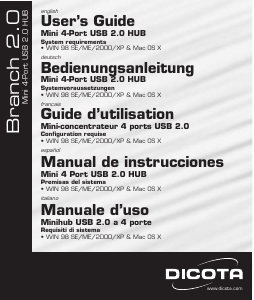
Diskutieren Sie über dieses Produkt mit
Hier können Sie uns Ihre Meinung zu Dicota Branch 2.0 USB-Hub mitteilen. Wenn Sie eine Frage haben, lesen Sie zunächst das Bedienungsanleitung sorgfältig durch. Die Anforderung eines Bedienungsanleitung kann über unser Kontaktformular erfolgen.