Bedienungsanleitung Costway MU70017BKA E-Piano

Benötigen Sie ein Bedienungsanleitung für Ihren Costway MU70017BKA E-Piano? Unten können Sie das PDF-Bedienungsanleitung kostenlos auf Deutsch ansehen und herunterladen. Für dieses Produkt gibt es derzeit 0 häufig gestellte Fragen, 0 Kommentare und 0 Stimmen. Wenn dies nicht das von Ihnen gewünschte Bedienungsanleitung ist, kontaktieren Sie uns bitte.

Ist Ihr Produkt defekt und bietet die Bedienungsanleitung keine Lösung? Gehen Sie zu einem Repair Café, wo es gratis repariert wird.

Bedienungsanleitung

Loading…
Basic operation
Preparatory work
This section introduces you to the basic operating knowledge of digital piano
How to play
1. switch the "power supply" switch to the on state, the display screen is lit
up, and enter the normal playing state.
2. adjust the volume potentiometer and adjust the volume to the appropriate
position.
3. play music on the keyboard.
The choice of timbre
There are 800 timbres in this product (see TONE list).
Please follow the following steps to select the desired timbre
How to select tone color
1. Find the timbre you need in the TONE list and remember its timbre
number.
2. Press the tone key to enter timbre mode.
3. Select the desired timbre by selecting the "+"/"-" key, the timbre number is
(000-799).
The convenience of chord accompaniment
The following steps describe how to use the chord functionality of this
product. Before you begin, you should first select the rhythm you want to use
and set the speed value.
Automatic accompaniment
The choice of rhythm
This product has 600 built-in rhythms (see the RHYTHM list), please follow
the steps below to select the desired rhythm.
How to choose rhythm
1. Press the rhythm key to enter the rhythm mode.
2. Select the desired rhythm by selecting the "+"/"-" key, the rhythm number
is (000-599).
3. Press the "start / stop" key to start playing the rhythm.
4. To stop the rhythm to play, and then press the "start / stop" key.
Synthetic chord accompaniment
1. Press the start / stop button to start broadcasting the currently selected
rhythm.
2. press the "chord" button to enter the chord state. If the chord mode of
single multi-finger reuse conforms to the multi-finger chord playing method,
the piano responds to the multi-finger chord; where the single-finger chord
method is not in accordance with the multiple-finger chord method, the
response is recognized according to the single-finger chord.
3. To play a chord, press different fingerings to perform different
performances on the accompaniment keyboard (1-22 keys from the left).
4. Press the “chord” button again to turn off the chord state.
Synchronous start
You can set this product to start playing rhythmically while you play
accompaniment on the keyboard. The following steps describe how to use
synchronous startup.
Before you begin, you should first select the rhythm to use, set the speed value,
and select the chord accompaniment.
Using synchronous startup
1. In the chord state, press the synchronize button to enter the synchronous
start standby state.
2. When you play the chord, the accompaniment will automatically start
broadcasting.
3. To cancel synchronization, press the start / stop button.
Use of Music Library
The built-in music library of this product contains 80 pieces of music (see list
of demonstration songs), and the built-in music is used for playback and
appreciation.
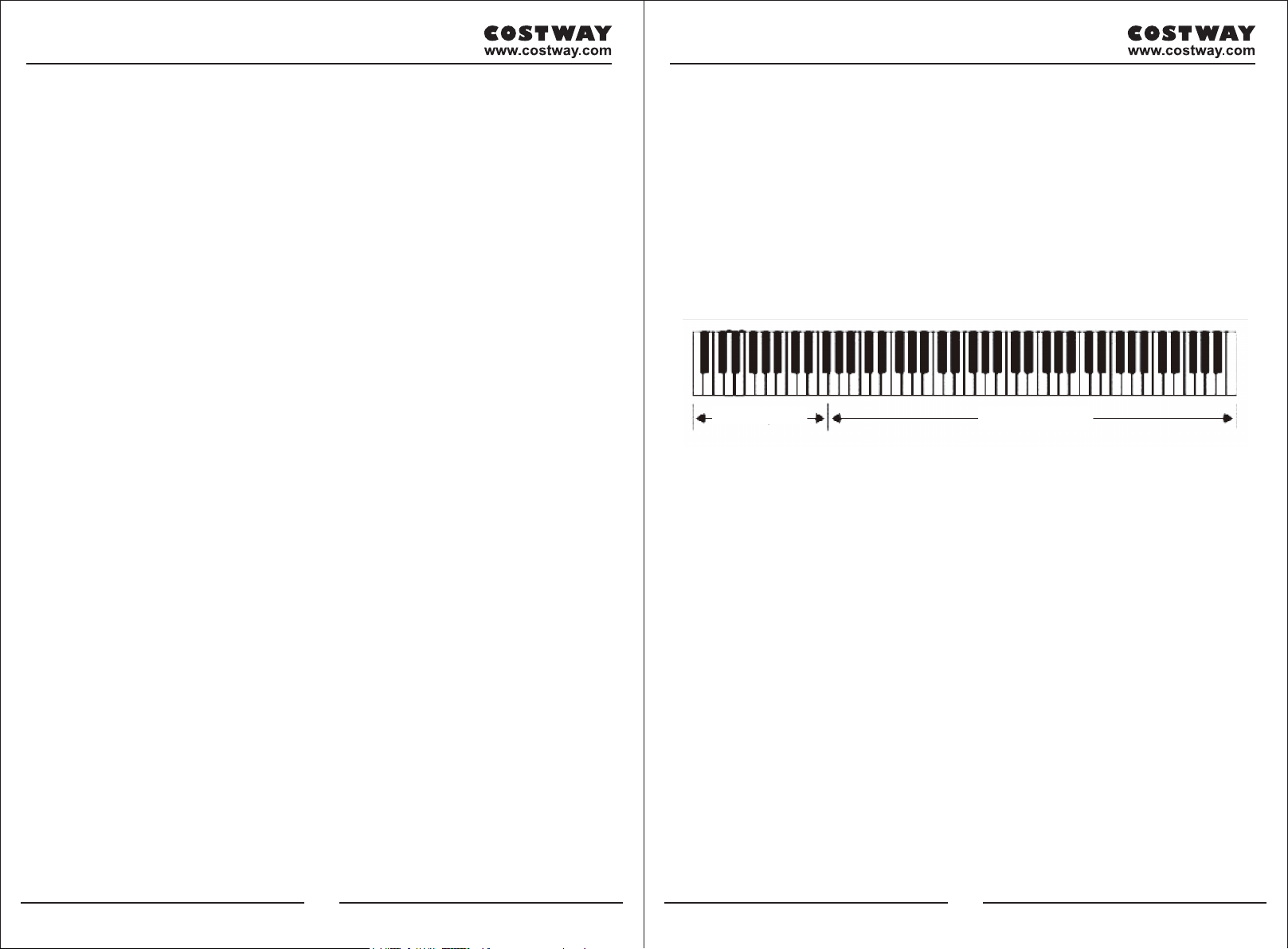
Chord keyboard
Keyboard melody
06 07
Download Bedienungsanleitung auf Deutsch (PDF, 10.29 MB)
(Denken Sie an die Umwelt und drucken Sie diese Bedienungsanleitung nur aus, wenn es unbedingt nötig ist)

Loading…

Bewertung

Teilen Sie uns mit, was Sie über die Costway MU70017BKA E-Piano denken, indem Sie eine Produktbewertung verfassen. Möchten Sie Ihre Erfahrungen mit diesem Produkt teilen oder eine Frage stellen? Hinterlassen Sie einen Kommentar am Ende dieser Seite!
Sind Sie mit Costway MU70017BKA E-Piano zufrieden?
Ja Nein
Seien Sie die erste Person, die dieses Produkt bewertet
0 Bewertungen

Diskutieren Sie über dieses Produkt mit

Hier können Sie uns Ihre Meinung zu Costway MU70017BKA E-Piano mitteilen. Wenn Sie eine Frage haben, lesen Sie zunächst das Bedienungsanleitung sorgfältig durch. Die Anforderung eines Bedienungsanleitung kann über unser Kontaktformular erfolgen.

Mehr zu diesem Bedienungsanleitung

Wir verstehen, dass es schön ist, ein gedrucktes Bedienungsanleitung für Ihr Costway MU70017BKA E-Piano zu haben. Sie können das Bedienungsanleitung jederzeit von unserer Website herunterladen und selbst ausdrucken. Wenn Sie ein Originalhandbuch wünschen, empfehlen wir Ihnen, Costway zu kontaktieren. Möglicherweise können sie ein Originalhandbuch bereitstellen. Suchen Sie das Bedienungsanleitung Ihres Costway MU70017BKA E-Piano in einer anderen Sprache? Wählen Sie auf unserer Homepage Ihre bevorzugte Sprache und suchen Sie nach der Modellnummer, um zu sehen, ob wir sie verfügbar haben.

Spezifikationen

Marke Costway
Modell MU70017BKA
Kategorie E-Pianos
Dateityp PDF
Dateigröße 10.29 MB

Alle Anleitungen für Costway E-Pianos
Weitere Anleitungen von E-Pianos
Bedienungsanleitung Costway MU70017BKA E-Piano

Verwandte Produkte

Verwandte Kategorien

×
Download